"AIsuru's Universal Connector: now an agent can talk to any API”
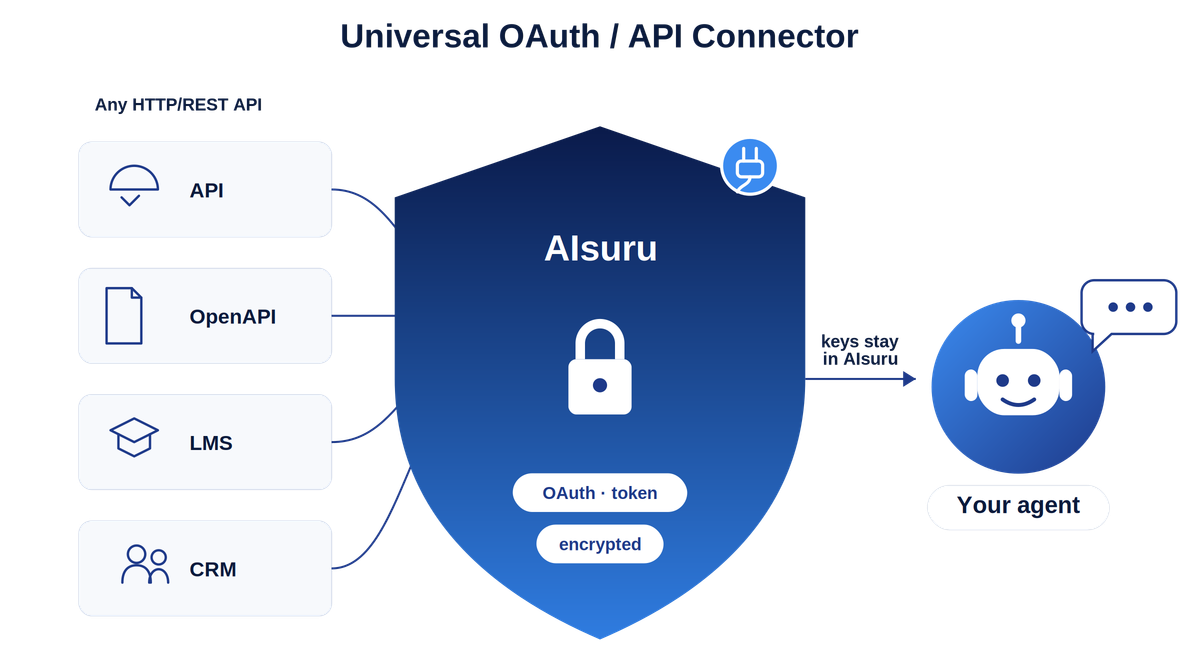
During almost every demo, we show an agent reading Outlook, navigating SharePoint, pulling data from Dynamics, updating SQL Server, and generating a branded Excel report. People are impressed. And then comes the same question, every time: "Great. But what about our API? The internal management system, the order portal, that custom service we built three years ago?"
Until yesterday the answer was "we're working on it" a dedicated connector was required. Starting today, the answer is simply "yes!" and it only takes a few minutes, thanks to our new Universal OAuth / API Connector.
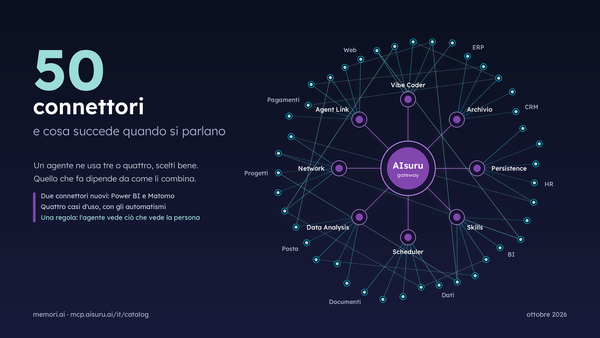
This is the missing piece in our library of more than 20 MCP connectors. It's not another integration for one specific service, it's a flexible tool that connects almost any web-based API, public or private, directly to your agent, with no coding required.
Why a catalog of connectors is never quite enough
Ready-to-use connectors cover the most common systems. But a lot of what makes your business unique lives in tools that aren't on anyone's list: your industry’s specific ERP, your personal customer portal, your training platform, your warehouse system, or the custom software that exposes your production data. All of these speak a common language (HTTP, REST, JSON, OAuth) but each in its own way.
Building a connector for each one is unsustainable. The solution isn't yet another connector: it's a connector that gets configured, rather than developed.
What the Universal OAuth / API connector does
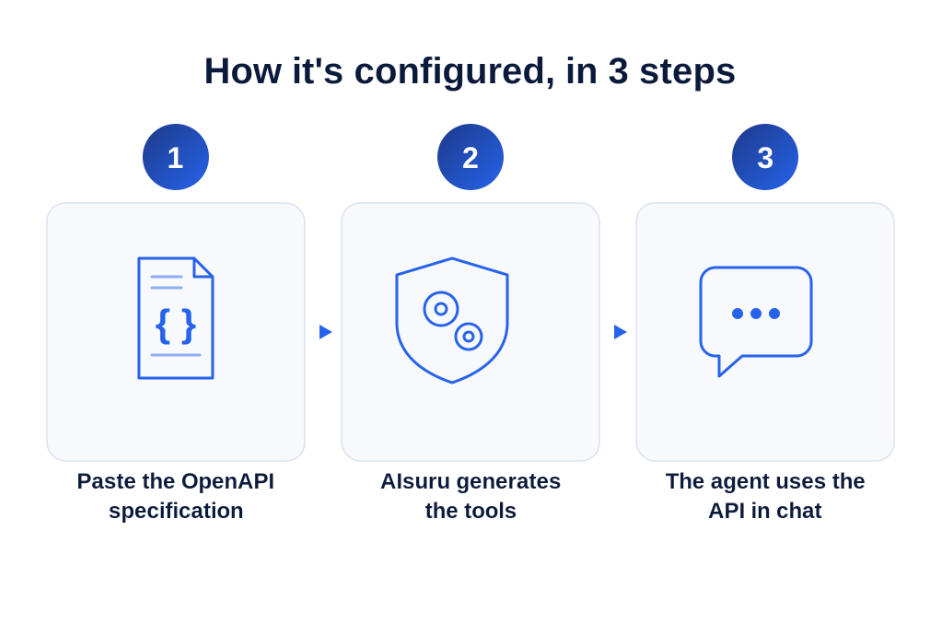
You tell us about your API (ideally just by sharing its technical description) and AIsuru turns it into tools your agent can use in conversation.
Three things make this especially powerful:
1. Authentication managed by AIsuru, never by the model
The connector supports the real mechanisms APIs use for protection:
- Static token (a Bearer API key)
- OAuth2 client credentials (machine-to-machine, the most common case for enterprise APIs)
- OAuth2 password, refresh token, and JWT Bearer (RS256) signed with a private key for services that require a signed assertion, such as certain LMS and enterprise platforms.
AIsuru takes care of getting access, keeping it valid, renewing it automatically when it expires, even retrying on its own if access is temporarily denied. The AI itself never sees or touches your login details; it just knows what task to do, while AIsuru quietly handles the access behind the scenes. This is precisely the principle behind our MCP approach: credentials never pass through the LLM.
2. Configuration from an OpenAPI/Swagger specification
Most modern APIs already come with a standard technical description (often called an OpenAPI or Swagger file). You paste that URL and AIsuru automatically generates the tools: it reads the endpoints, parameters (in query and in path, e.g. /orders/{id}), methods, and creates tools with the right descriptions so the agent knows when to use them. No hand written JSON, no integration to develop. And if the API doesn't have a specification, endpoints can be described manually with the same simplicity.
3. Enterprise security as standard
- HTTPS-only
- Private keys encrypted
- Session identity propagated where needed
This is the same multi-layered security approach (protection, isolation, and monitoring) that covers all of our other connectors.
Here are some examples where this shines
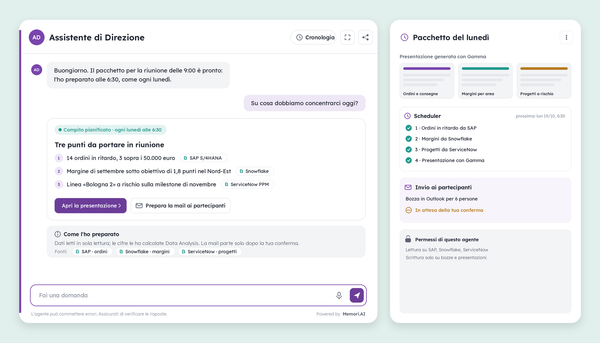
The real value emerges when the Universal Connector combines with other MCP connectors.
Training: a conversational course catalog
We connected an agent to the catalog of a training foundation: their learning platform (Docebo, using secure signed access) and their own custom system (using automated logins). Now the user asks "which leadership courses start in September?" and the agent responds with real data. By adding Scheduler and Outlook, the same agent sends HR managers a summary of new courses in the catalog every Monday.
Sales: the ERP that becomes an assistant
A manufacturing company exposes its ERP via an internal API. With the connector, the agent reads inventory levels, orders, and shipment status. Combined with Excel, a request like "give me a summary of open orders for client Rossi" generates a spreadsheet with formulas and totals, delivered via link. With Persistence, the agent also keeps its own log of recurring requests per client, and over time anticipates the questions.
Support: custom ticketing
A help desk with a proprietary ticketing system: the agent opens, updates, and searches tickets via API. Together with SharePoint and the MCP Persistence connector, it builds an index of which problems recur and which documents resolve them most often. Eventually, it can suggest a solution before a ticket is even logged.
Logistics: tracking and notifications
Using a courier's API or an internal shipment tracking system, the agent can check every morning for delayed shipments and automatically notify affected customers via Outlook.
Finance & operations: internal data + documents
An internal API exposes daily revenue figures. The agent reads them, cross references them with the CRM (Dynamics/Salesforce) and a SQL Server database, and produces a branded Word document for the board. The whole thing can be triggered by voice, or scheduled as a monthly report with Scheduler.
Multi-agent: the API as shared expertise
With our multi-agent capability, a general-purpose "concierge" agent can hand off specific questions to a specialized agent that knows how to talk to a particular system, such as a pricing tool. Knowledge of the API becomes a skill one agent can lend to another, within the same platform and the same security model.
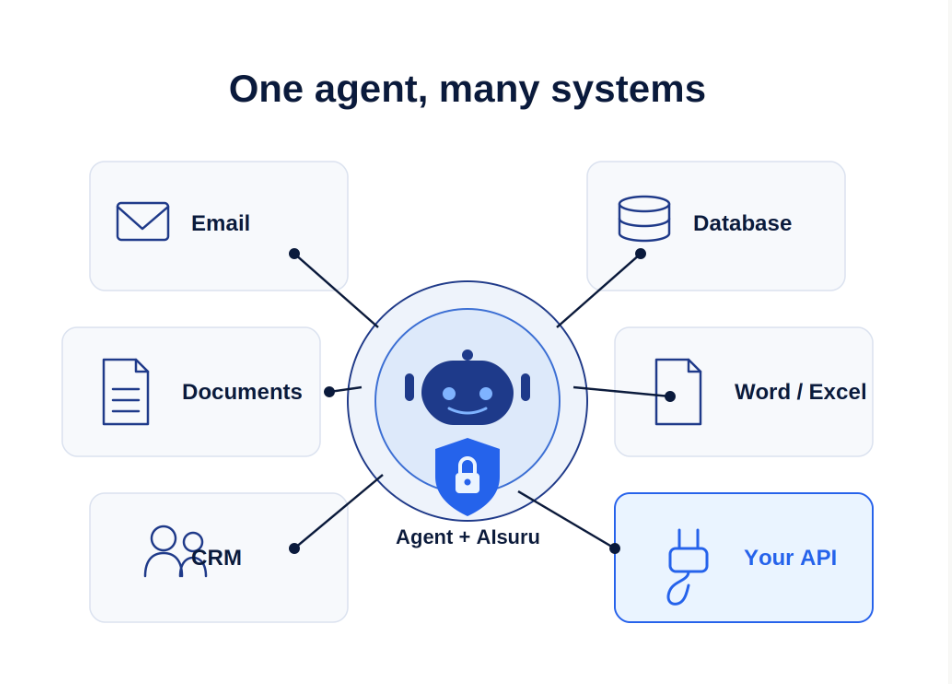
The common thread is always the same: the agent collects, structures, and acts, lining up multiple systems within a single conversation. The Universal Connector adds the last mile to this orchestration: the systems that exist only inside your own company.
Why this is an architectural choice, not a feature
Connecting an LLM to an API in an afternoon is easy. The hard part is the layer that decides who can call it, with which credentials, for how long while keeping a clear record of it all and without ever exposing sensitive access details to the AI itself.
That layer is AIsuru, and the Universal Connector fully inherits its guarantees: identity verified on every call, encrypted secrets, per-user isolation, European infrastructure consistent with our positioning on the AI Act and data sovereignty.
In short, it's the same idea we always come back to: the difference between AI that simply talks, and AI that actually takes action. Extended now, finally, to any system that speaks HTTP.
In summary
- Connects any HTTP/REST API to an AIsuru agent, even proprietary ones, with no code.
- Full authentication (static token, OAuth2 client credentials / password / refresh / JWT RS256) with the token managed and renewed by AIsuru, never by the LLM.
- Import from OpenAPI/Swagger: just paste the specification, and the tools generate themselves.
- Enterprise security: HTTPS only, encrypted secrets, isolation, auditing.
- Orchestrates with all other MCP connectors like Outlook, SharePoint, CRM, databases, Word/Excel, Persistence, Scheduler, multi-agent for complete workflows described in plain language.
Do you have an API (internal or from a vendor) that you'd like to make conversational? All you need is the specification and the access parameters.
Write to us at demo@memori.ai: the most interesting use cases always start with a concrete question.