What's new in AIsuru | v10.3.0
Welcome back to the AIsuru release notes v10.3.0! Here you'll find new features, improvements, and bug fixes to make your AI Agents more powerful and secure 🚀
Governance Rules
Tenant admins can now set rules that every agent in the organization has to follow. In the tenant settings there’s a new Governance section where admins create and manage them.
Each rule has a title, the text that actually reaches the agent, a category (Behavior, Compliance, Data, Security or Style), the reason why the rule exists and, when it applies, the norm it comes from. Rules can be saved as a Draft while you work on them, and switched to Active when they’re ready to go live.
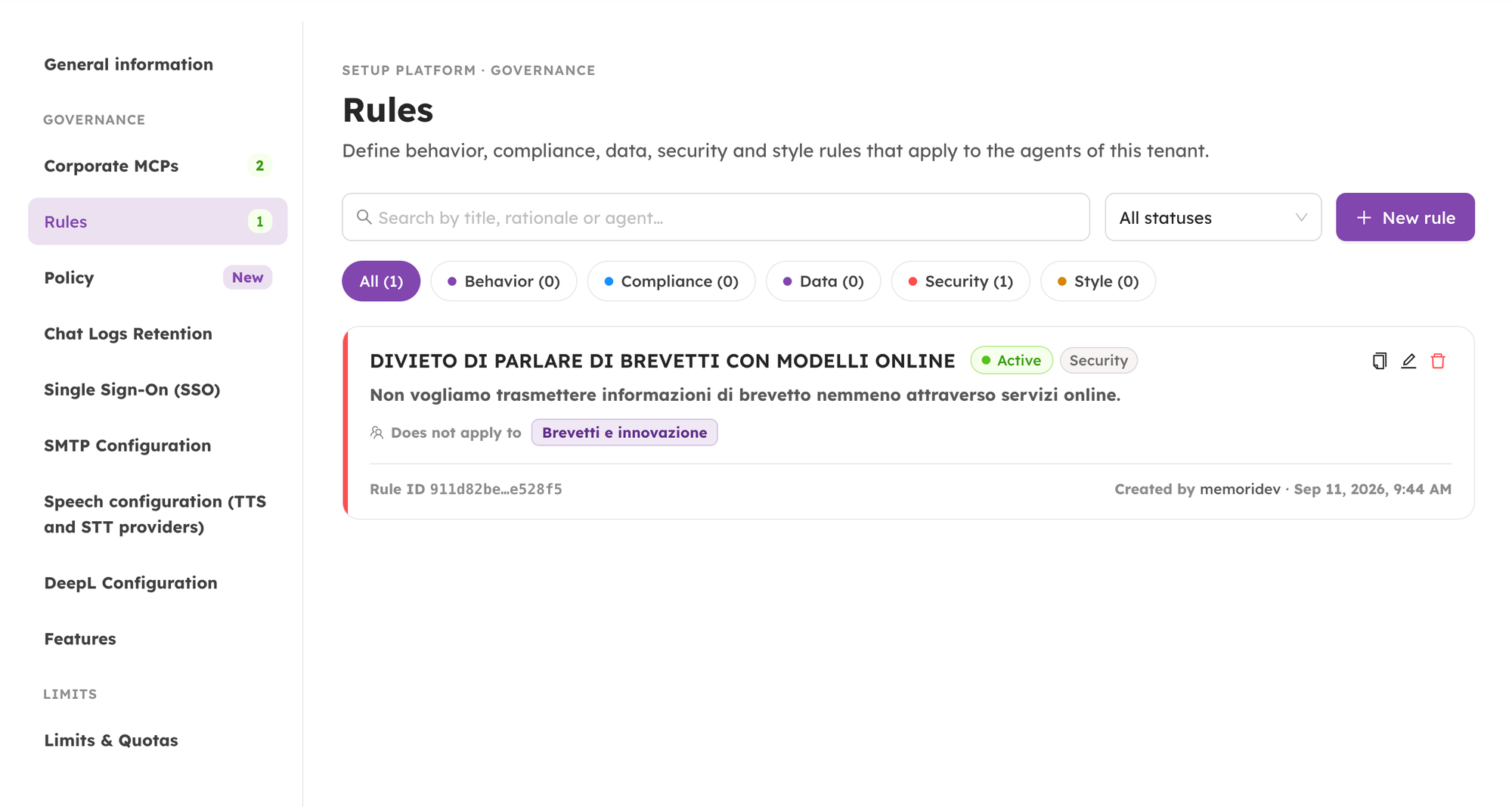
The user will decide who each rule applies to: all the agents in your tenant, all of them except the ones you list (with a reason for every exception), only a handful of agents you pick or every agent belonging to a given category.
Active rules are added to the agent’s instructions at the beginning of every conversation, before the agent’s own prompt, and the agent can’t write its way around them.
Agent owners can see what they inherit: a banner at the top of the agent’s AI settings lists the company rules that apply, and for each one explains why it exists, which norm it implements and who to contact about it.
Policy documents
The second half of the Governance section. With one click, tenant admins can generate a complete policy package describing how AI is configured in their organization.
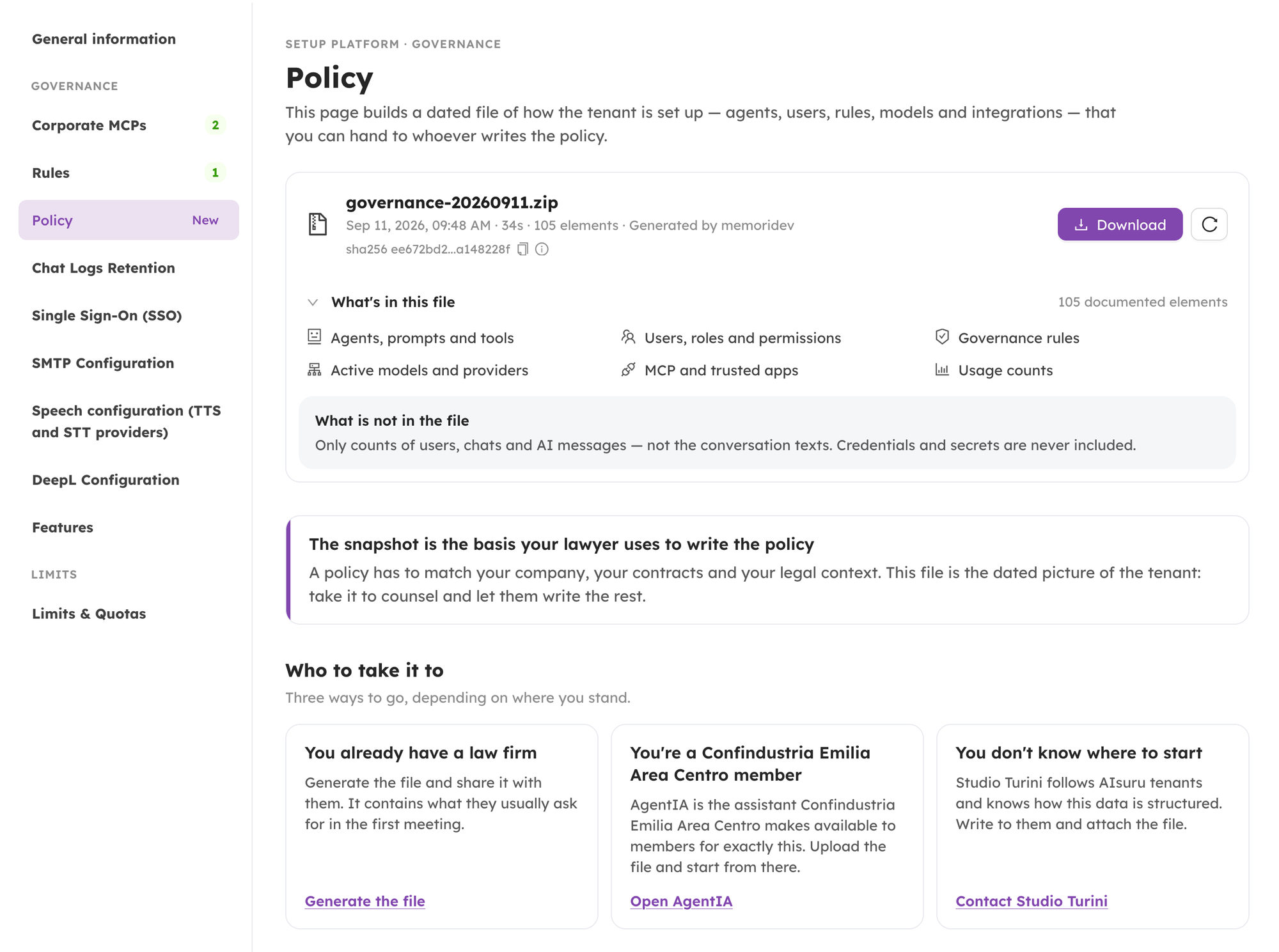
The user will now get a dated zip file with a document for the tenant and one for each agent, all of them in both Italian and English. The tenant document covers your settings, admins and users, the full inventory of agents, the models and providers in use (with API keys masked), the governance rules in force, the connected MCPs, the trusted applications and the configured limits. Each agent document covers its description, visibility, models, prompts, roles, connected tools and content counts. Conversations and credentials are never included.
Generation runs in the background: you’ll see a progress bar with an estimate, you can close the page while it works, and you’ll get an email when the package is ready or if something goes wrong. Every package you’ve generated stays in the list with its date, how long it took and who started it, ready to download again.
Each package also comes with its own SHA-256 checksum, shown right next to the download button together with the command to verify it. Whoever receives the file can check that it’s exactly the one you generated, untouched.
Setup Platform now has a new look
We reorganized the whole tenant setup area. Every tab is now its own page with its own save button, so the user no longer scrolls through one endless form: instead it can move between sections using tabs, and each section fills the page.
Fields are grouped into cards to make configuration easier to read. The Limits section, for example, is now split into three clear cards: Agents, Users, and Sessions and Usage. Everything works as it did before we just made it much easier to find!
3D Avatar Configurator
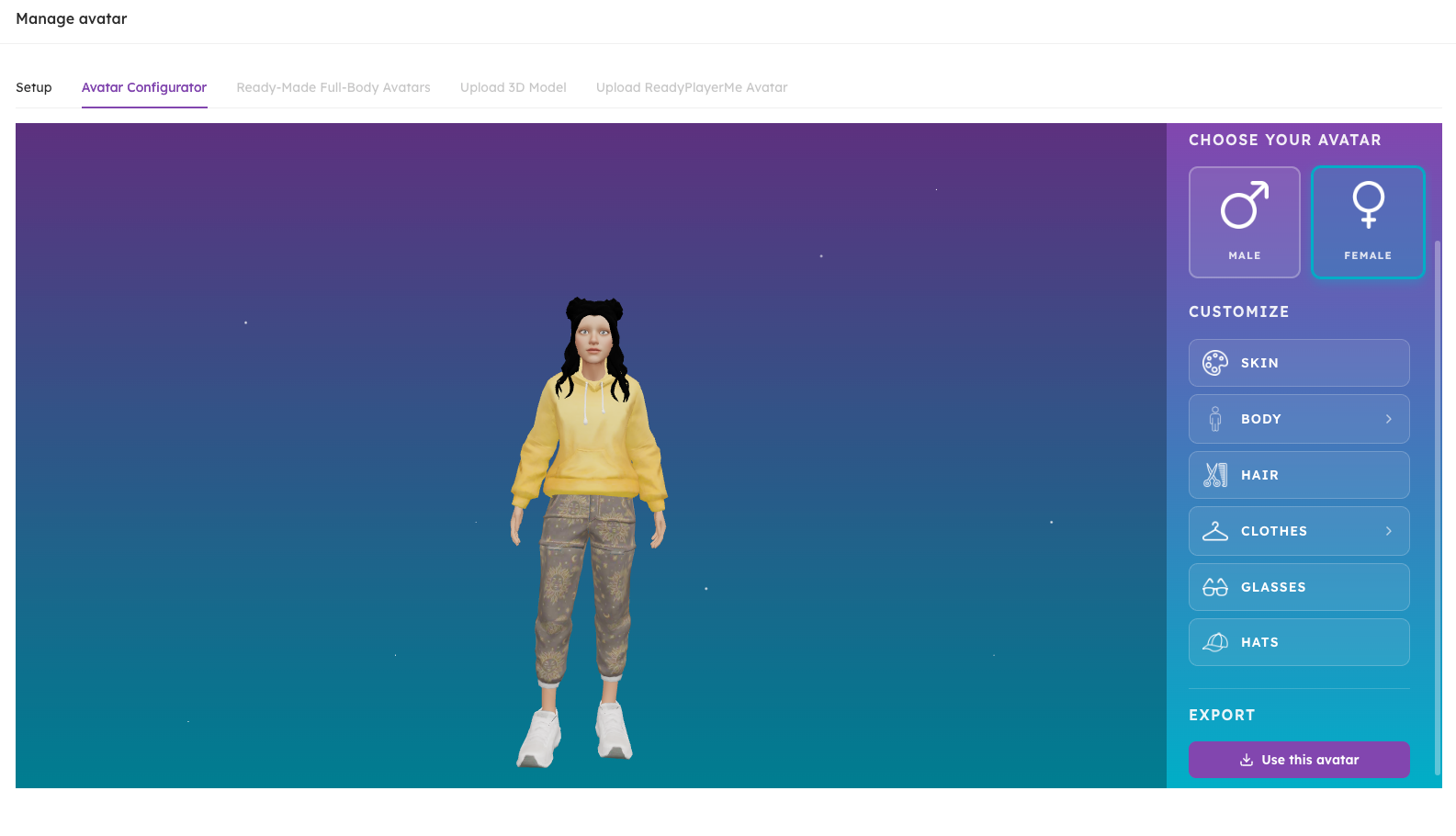
Building your agent’s avatar is now a proper 3D experience. From the Handle Avatar modal you can shape the appearance of your agent and customize clothing, hair and more, seeing the result as you go.
Smarter Artifacts
When an agent needs to change part of an artifact it already created, it no longer has to rewrite the whole thing. It can now send just the edits, and the chat applies them on the spot.
That means faster revisions and a clear history: every update shows up in the conversation as its own card, the previous versions stay right there for comparison, and opening the artifact always shows you the current, merged version. If an edit can’t be applied cleanly, you’ll be told instead of getting a document that’s quietly wrong.
Document conversion now happens inside AIsuru
We replaced the external conversion service we used for documents with our own. When you attach a document to a chat or import one to generate questions and answers, the user's files no longer leave the platform to be converted.
A few things got better along the way:
- The size limit for conversion is now 25 MB
- Word documents and other Office files attached to a chat now get their text extracted properly. Before, they were uploaded as attachments and the agent could barely read them
- Supported through conversion: PDF,
.docx,.docm,.dotx,.xlsx,.xlsm,.xls,.xltx,.ods,.pptx,.pptm,.potx. Plain text formats such as.txt,.csv,.md,.json,.yaml, HTML and XML are read directly, with no conversion needed
Public Description
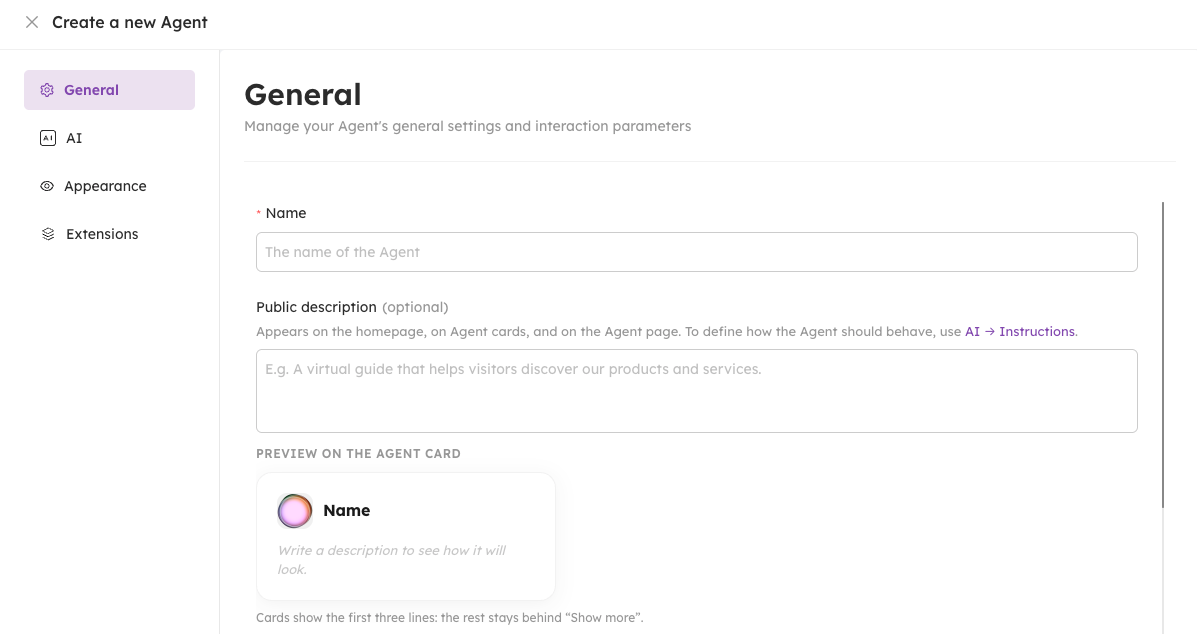
The agent’s description field is now called Public Description, with a hint explaining where it shows up, a 500-character limit with a live counter, and a preview card showing exactly how your agent will look on its public page. No more guessing what that field was for.
MCP improvements
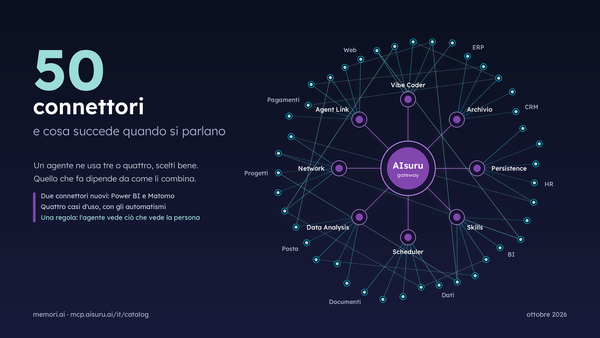
- A documentation button on corporate MCP connectors and on the agent MCP pages, so the docs for each connector are one click away
- A detail drawer for tenant MCP connectors, showing the full schema of a connector without leaving the page
- Search in the MCP connectors list, with a cleaner layout
- Connectors can now receive the login token of the user who’s chatting as a header, so an MCP can act on behalf of the person in the conversation. It’s applied by default to existing tool functions, and it can be added when creating a new MCP
New model now available
Added support for Anthropic Claude Opus 5.
Clearer Deep Thought
We rewrote the explanations for Deep Thought in the agent settings and during login, so it’s finally clear what it does and when memory comes into play.
Try Agents from the homepage
Visitors who aren’t logged in now find a Try Agents call to action on the homepage, with the policy disclosure attached, to start chatting right away.
A more precise credit system
We completed the rollout of our new centralized credit system. Credits now live in a single wallet and are checked before an action happens (creating an agent, opening a session, importing a document) rather than being counted afterwards.
For organizations this means much finer control: credit can be charged to the individual user or to the tenant as a whole, and a tenant can run in tracking mode (usage is recorded but not charged) or with monthly allowances instead of a balance. For everyone it means clearer, more immediate feedback on consumption, and no unpleasant surprises.
Enhanced security
The real time channel that streams your agent’s replies to the browser now issues a separate, short lived credential for each conversation, instead of one shared key. Each credential only works for that one conversation, can only listen and never send, and expires after 30 minutes.
The chat got smarter about it too: if you put the tab to sleep, lose connection or leave the conversation open for a long time, it reconnects and picks up whatever it missed, instead of sitting there showing a typing indicator for a reply that already arrived.
We also updated the Privacy Policy with the details of the Google Workspace integration, and added the account deletion request procedure for Meta Quest to the AIsuruVR privacy policy.
🐞 WHAT WE FIXED!
- Editing an agent from the drawer no longer saves on every keystroke: your changes are applied when you click Update Changes. This was causing glitches in input and text fields.
- Fixed the Deep Thought and commercial communications consents, so an unchecked box is now correctly recorded as a refusal instead of being ignored.
- Fixed the birth date handling in the age verification modal on mobile.
- Restored the MCPs that had been wrongly left out of the corporate connectors catalog.
- Fixed asset downloads on custom domains: the session was not being carried over, so users on their own domain couldn’t download files from the chat and got a permission error.
- Empty MCP custom parameters are now left out of the request instead of being sent as empty values, which some connectors rejected.
- Reasoning content from custom models is no longer shown to end users in the chat.
- Fixed an exception when retrieving a conversation whose event log was missing.
- Fixed a CORS error that appeared on 404 responses.
- Error messages now say “Agent” instead of “Memori”, in line with the rest of the platform.
- Restyled the notification banner.
- Various translation fixes in English and Italian.
🛠️ As always, we’ve addressed various minor bugs and implemented performance improvements across the platform to ensure a smoother, faster experience.
💡 Need help with AIsuru? Want to explore the AIsuru AI Academy? Contact us at demo@memori.ai