What's new in AIsuru | February 2026

Welcome back to the AIsuru release notes for February 2026! Here you'll find new features, improvements, and bug fixes to make your AI Agents more powerful and secure 🚀
NEW FEATURES AND IMPROVEMENTS!
3D Avatars
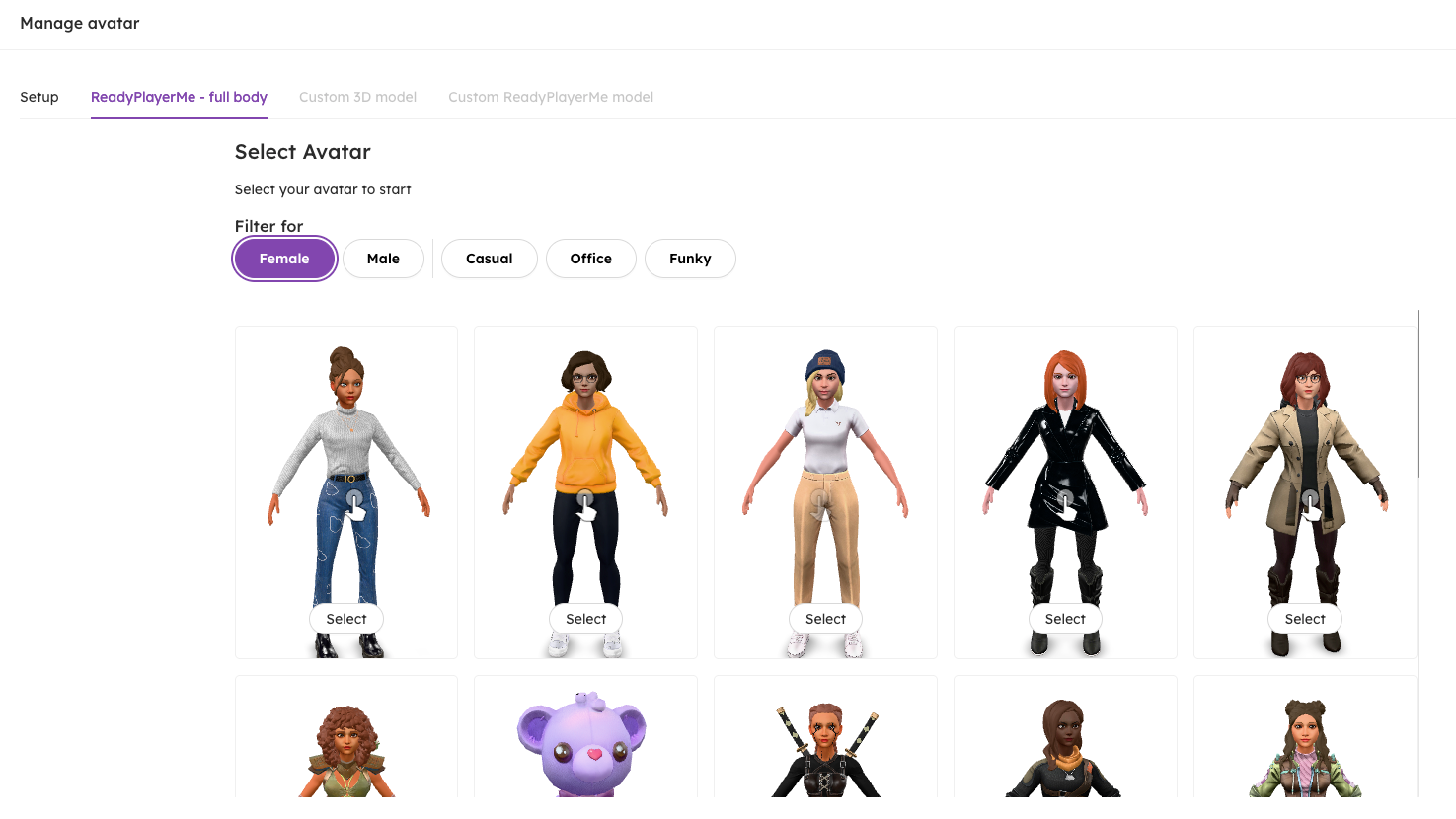
Ready player me has officially shut down💀. However we made sure to create a preset avatar selector where the user can select ready to go avatars.
The categories are divided to Male and Female and they are separated by styles: Casual, Office and Funky.
But fear not! Because we are already working hard on new and improved avatars so the user can customize them as they like.
Translations
As a Tenant admin, you can now set your own DeepL API key for the translation of the chats. We revamped the translations system entirely to make it more scalable and configurable for our Tenants.
The translations now happen server-side both for the user messages with the multilingual feature enabled and the agent responses. Agent authors can still see the conversations in the agent’s language for better review of the responses.
Features
Improved Perplexity function
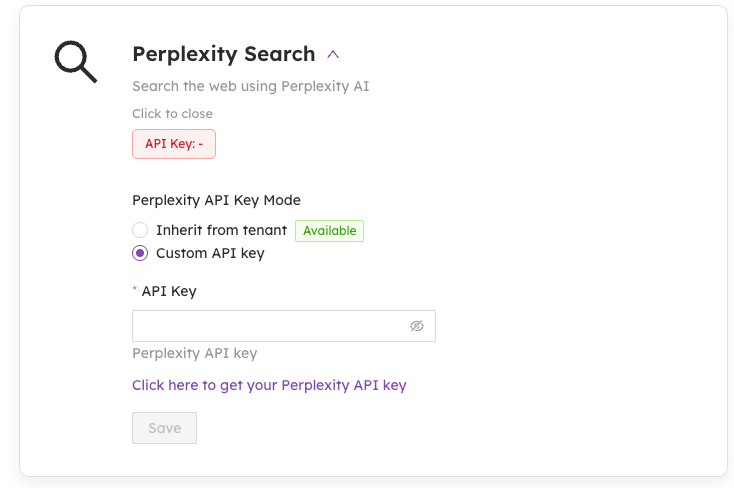
When you save a configuration, the feature is automatically turned on for you, so no extra steps are needed. The On/Off toggle will only appear once a valid setup has been saved, preventing you from accidentally enabling something that isn't ready yet. If a configuration is incomplete, the system will block you from saving it and show a warning to guide you in the right direction.
Followers search (Deep Thought): big improvement in performance and faster query processing
We've improved how the system handles your queries for followers search! Instead of processing each step one at a time, the system can now work on multiple operations at once, resulting in faster and smoother responses for you.
New Deep Thought feature
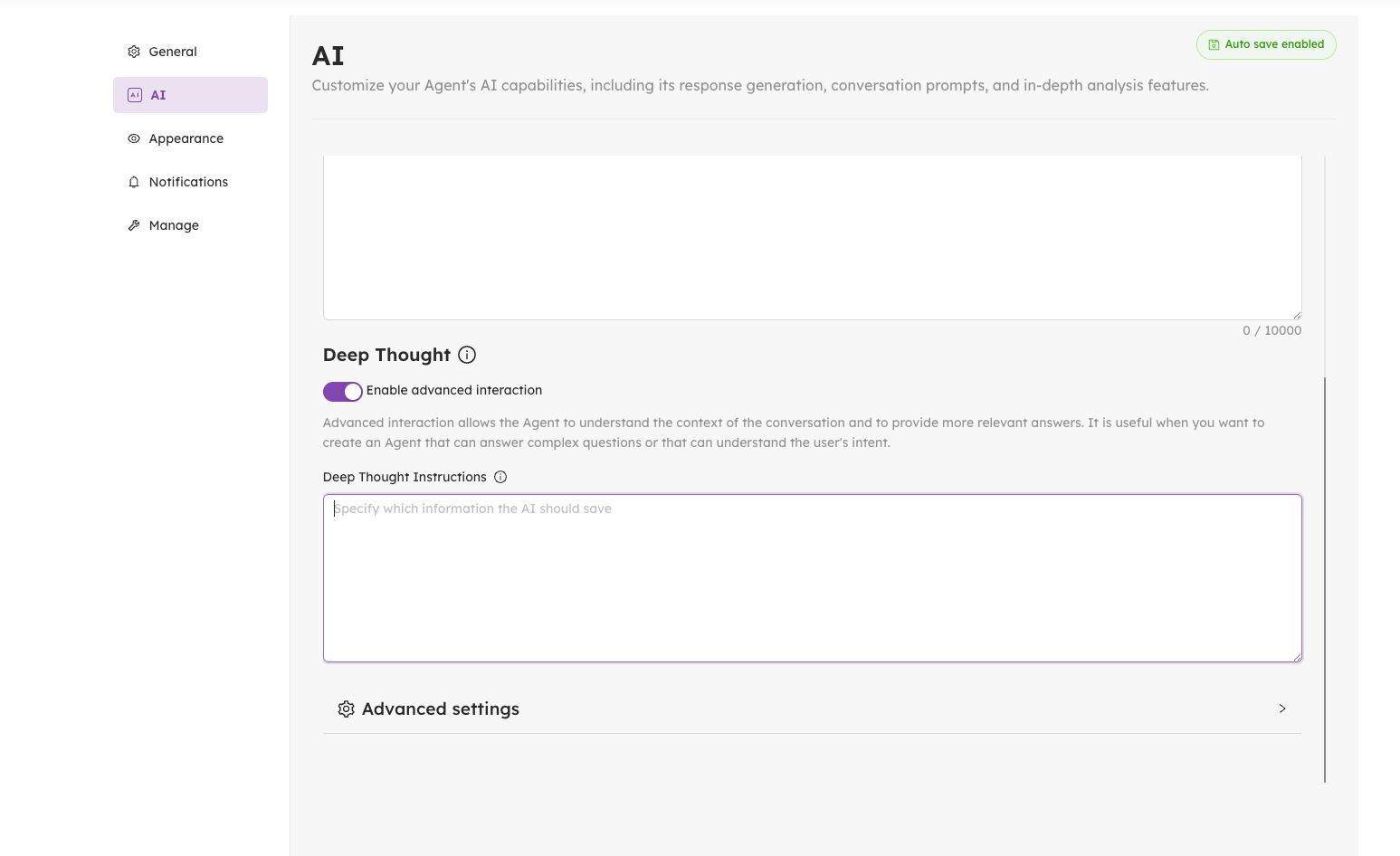
When the Deep Thought is enabled, you'll now find a new text field in the AI tab for Deep Thought specific instructions that will let you guide the AI on what to remember about your users during conversations.
Simply provide instructions on what details to save — such as preferences, interests, or personal context — and the Deep thought feature will use them to build a more personalized experience for each user over time.
Better media and file previews in chat
We've improved how media and files are displayed in your conversations! All images, links, documents, and attachments are now neatly grouped together in a bubble looking message for easier access. Documents appear as clear cards showing the file name, type, and size, while links now display previews with images and descriptions.
We have also introduced a new preview feature, so you can view almost any file type directly within the chat — from images and videos to PDFs, Excel, syntax highlighting for Code; readable snippets for Markdown. For file types that can't be previewed, you'll see a clear message "Preview not available" with Download/Open options. These improvements apply to both uploaded files and content shared in the chat.

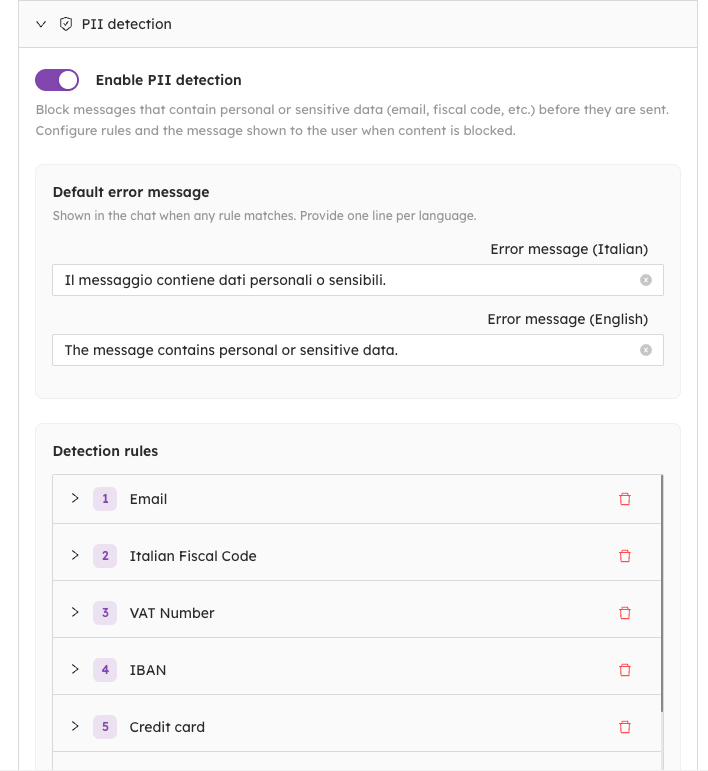
PII Detection (Personally identifiable information)
You can now set up rules to automatically block messages containing sensitive or personal data, keeping your chats safe and compliant.
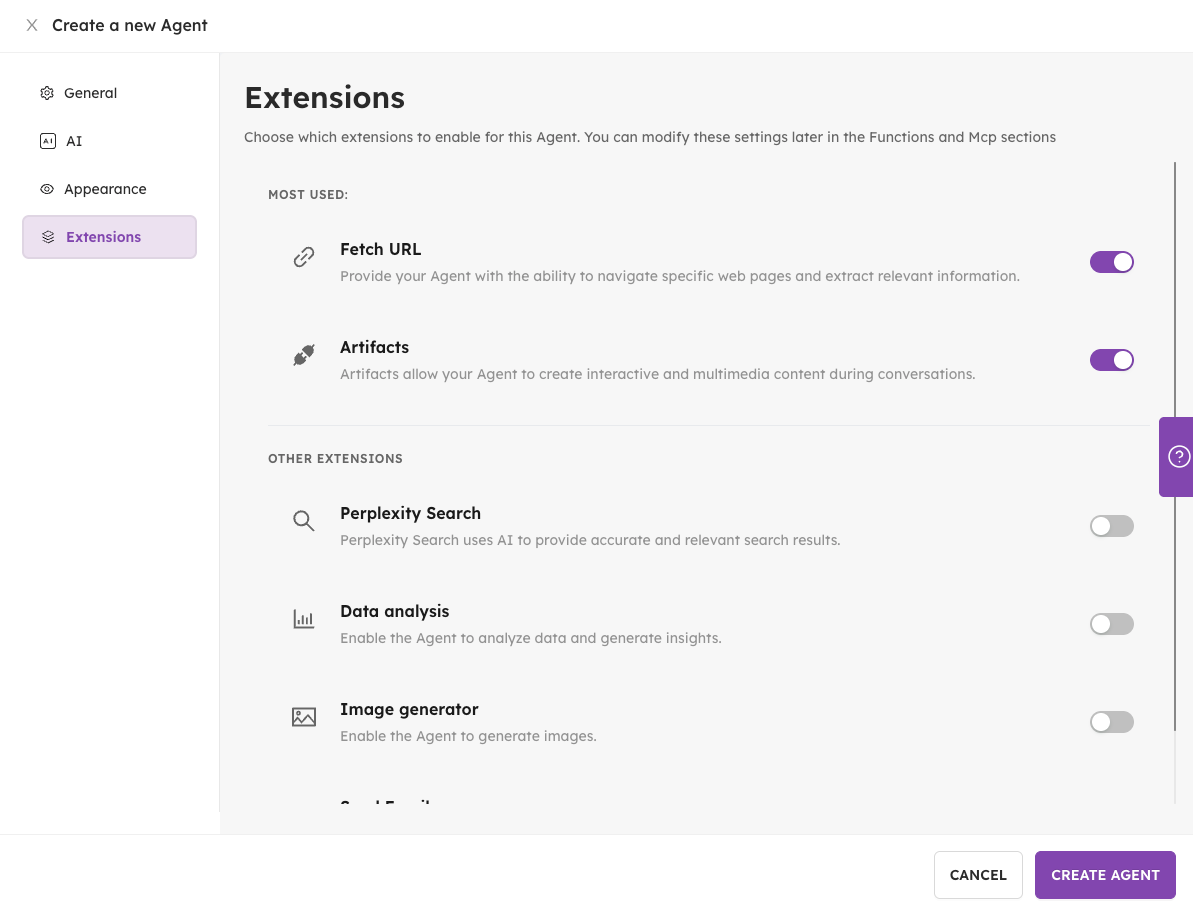
Extensions tab
In the creation form, there is a new "Extensions" tab that allows you to automatically activate presets for Functions and MCPs.
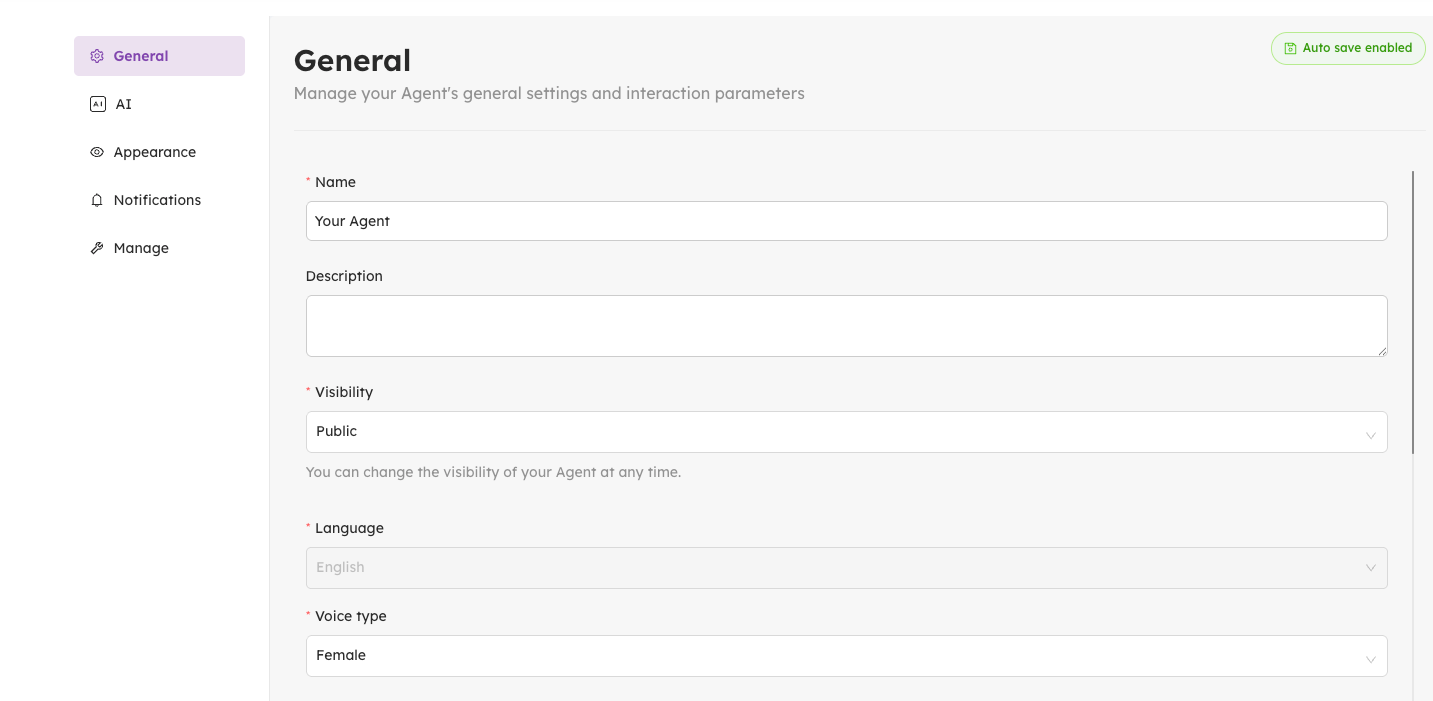
Auto-save
We have implemented auto-save for both the agent settings and the edit panel.
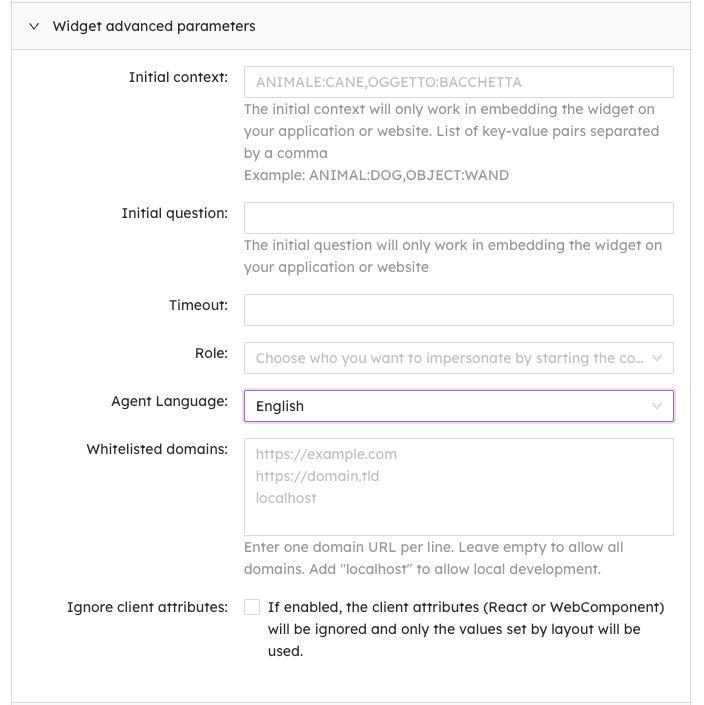
Simplified language settings
The language settings have been streamlined. The new single "Agent Language" field replaces two separate settings, updating both the chat and interface language in one go.
New scrollbar colors
We have now switched color of the scrolling thumb (scrollbar) for better visibility, UX and better understanding
New Copy/Paste feature
When copy-pasting a long text in the chat, this will be shown as an attachment instead of taking up space in the input box. Pasting a short text will continue showing as normal. Pasting a long text or attachment will follow the normal limits set for contents.

- When uploading a txt file, we now keep it as preview within the chat, instead of showing a large message with the whole content of the file.
WHAT WE FIXED!
UI improvement – Better Layout & Responsiveness
Due to the text area not fitting properly in the chat view with the Website Assistant layout we made some alterations for better use of your screen space! On desktop, the panel now covers a quarter of the screen height for a cleaner look, and both desktop and mobile views have been improved to feel more comfortable to use.
Fixed agent drawer on iOS Safari
We've improved the experience of creating and editing agents on mobile! The Close button is now clearly visible at the top right of the screen, and the navigation tabs have been tidied up with icons and labels displayed side by side, making everything easier to find and use.
Models
In the “Models” page you can now control how many rows are displayed per page. Simply head to the new "Rows per page" option in the bottom right of the screen to adjust the view to your preference and navigate through pages with ease.
Fixed a bug for the Create Agent button
On specific window sizes, the Create button was pushed down and disappearing. Now it’s fixed and visible for all of our users
3D Avatar full body
In the “Layout management” section, when selecting a 3D full body it was not showing up in the review of the Layout management
Board Of Experts
In the Board of Experts section when reaching the maximum limit of created agents the “+ CREATE” button will no longer be accessible
Other small fixes
- We've updated the labels and descriptions in the “Settings” → “AI” → "Response Mechanism" section of the Agent AI settings to make them clearer and more consistent
- Fixed a bug on Chrome on Windows for which audio was still playing even if the user disabled it.
- Fixed a bug for which while resuming a chat, it kept scrolling to the bottom at any letter typed.
- You can now correctly save the public page of an agent as a PWA, or you can Add it to the home screen as a standalone app.
🛠️ As always, we've addressed various minor bugs and implemented performance improvements across the platform to ensure a smoother, faster experience.
💡 Need help with AIsuru? Want to explore the AIsuru AI Academy? Contact us at demo@memori.ai