Fifty connectors, and what happens when they start talking to each other
Oct 16, 2026 · @Nunzio Fiore
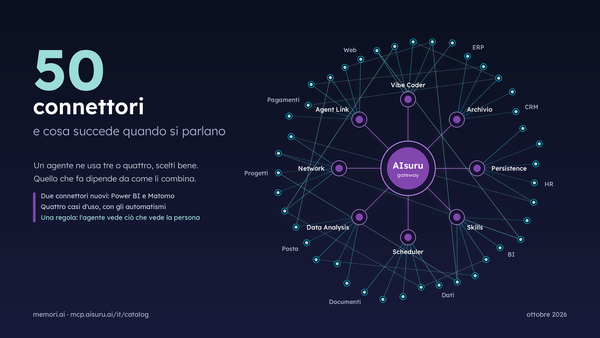
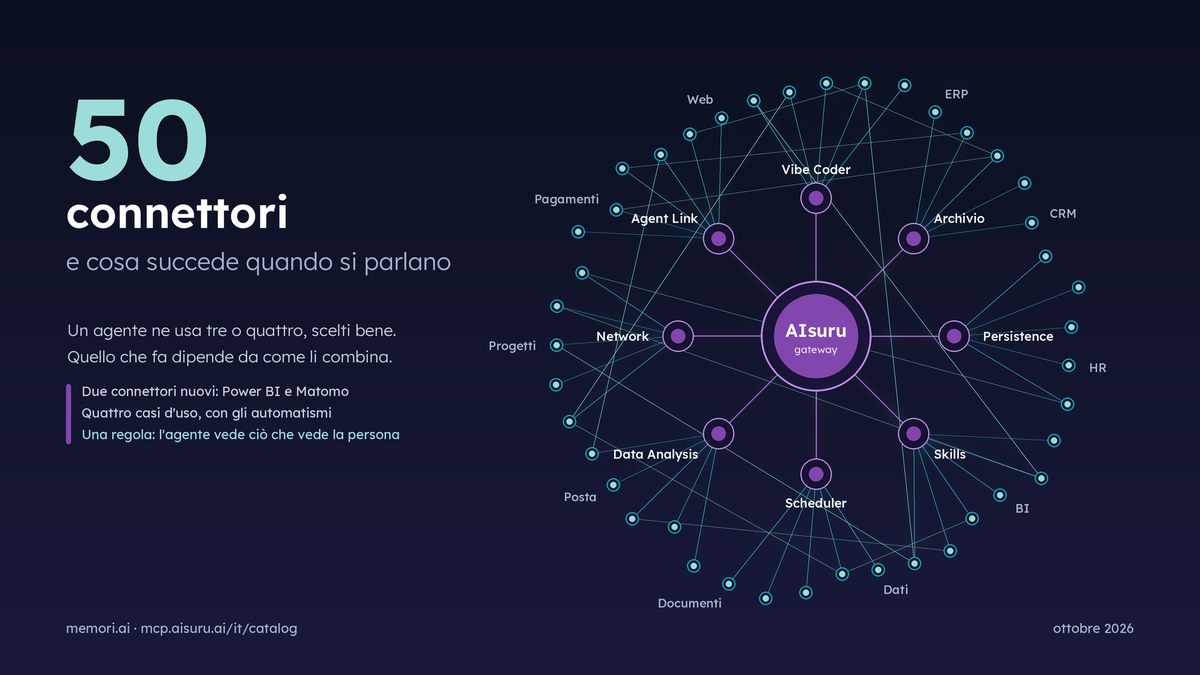
The public AIsuru catalog reached fifty connectors on October 13, 2026. It's a round number, and a vanity metric, and that's exactly why it's worth saying why it matters so little: no agent uses fifty connectors. It uses a few, well chosen, and what it does depends on how it combines them.
In this article we explain how we combine them. The two latest arrivals, the principle that all of them respect, the automations that hold them together, and four new use cases, built with real connectors from the catalog and with fictitious companies, people and numbers.
Anyone who read Agents that work, improve and answer to someone will find the same setup: every agent works on real systems, proposes, and a person decides. The jobs change, and the connectors change.
The two new ones, and the principle that applies to everyone
The last two connectors to arrive, Power BI and Matomo, bring into AIsuru the numbers companies already work with, and they do it following a rule common to the whole catalog: the agent sees what the person using it sees.
The agent finds workspaces, semantic models and reports, reads their tables and columns, and answers with DAX queries. Each person connects with their own account, so their permissions and row-level security apply; alternatively, a shared service principal is used. Someone asking a question about sales gets the sales figures they're authorized to see, not the whole company's.
Website analytics, the privacy-respecting alternative to Google Analytics: visits, pages, referrers, campaigns, goals and segments, read with the permissions of one of your Matomo users.
You'll find the same rule across the whole catalog, with different nuances:
| Connector | How it carries the person's permissions |
|---|---|
| ClickUp, Salesforce | Each user connects with their own account: the agent acts on their behalf and sees only what the system lets them see |
| Snowflake, Workday, ServiceNow Projects and Portfolio | Read-only by default, with an integration user given explicit permissions |
| Oracle, Firebird, IBM Db2 for i | The agent explores the schema and reads only the pools or users the administrator has authorized |
| CRM in Cloud | Every write is read back and verified: if the CRM rejects a piece of data, the agent says so instead of assuming it went through |
| Enterprise connectors | The administrator sets up the connector once with the credentials inside, and decides who sees it: the whole company or just certain groups |
In every case, the credentials stay in the gateway and the model never sees them. That's why an agent can touch a business system without anyone having to hand out an API key.
The automations that hold the connectors together
A single connector answers a question. It becomes a process when something triggers it without a person asking, and something logs what happened. In AIsuru, four connectors from the Suite do these two things, and they're the same ones in every case that follows.
- Scheduler starts the agent on a schedule, with a task split into steps and only the connectors allowed for each step. It's the trigger behind reports, checks and reminders.
- Skills stores procedures: how to write a monthly report, how to verify an invoice, how to prepare an onboarding plan. Written once, the agent always follows them the same way, and whoever wrote them can correct them.
- Network chains multiple agents together: the marketing agent asks the data agent, which answers only with what it's authorized to give.
- Agent Link exposes an agent as a standard MCP server, reachable from other systems and other agents, even outside AIsuru, within the limits of what the agent is allowed to give.
Underneath it all is Persistence, the structured memory of every agent, where states, outcomes and logs end up. And it's within these same boundaries that the Vibe Coder builds applications and proposes its own improvements, always with the owner's approval: we wrote about this in the previous article, and here we take it as a given.
What the four cases have in common is this: the automation prepares, verifies and keeps track, the decision that has effects outside the platform goes through a person.
Case 1 - Agent that closes out marketing's month
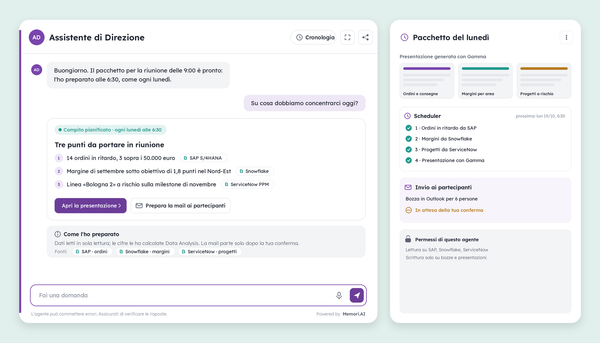
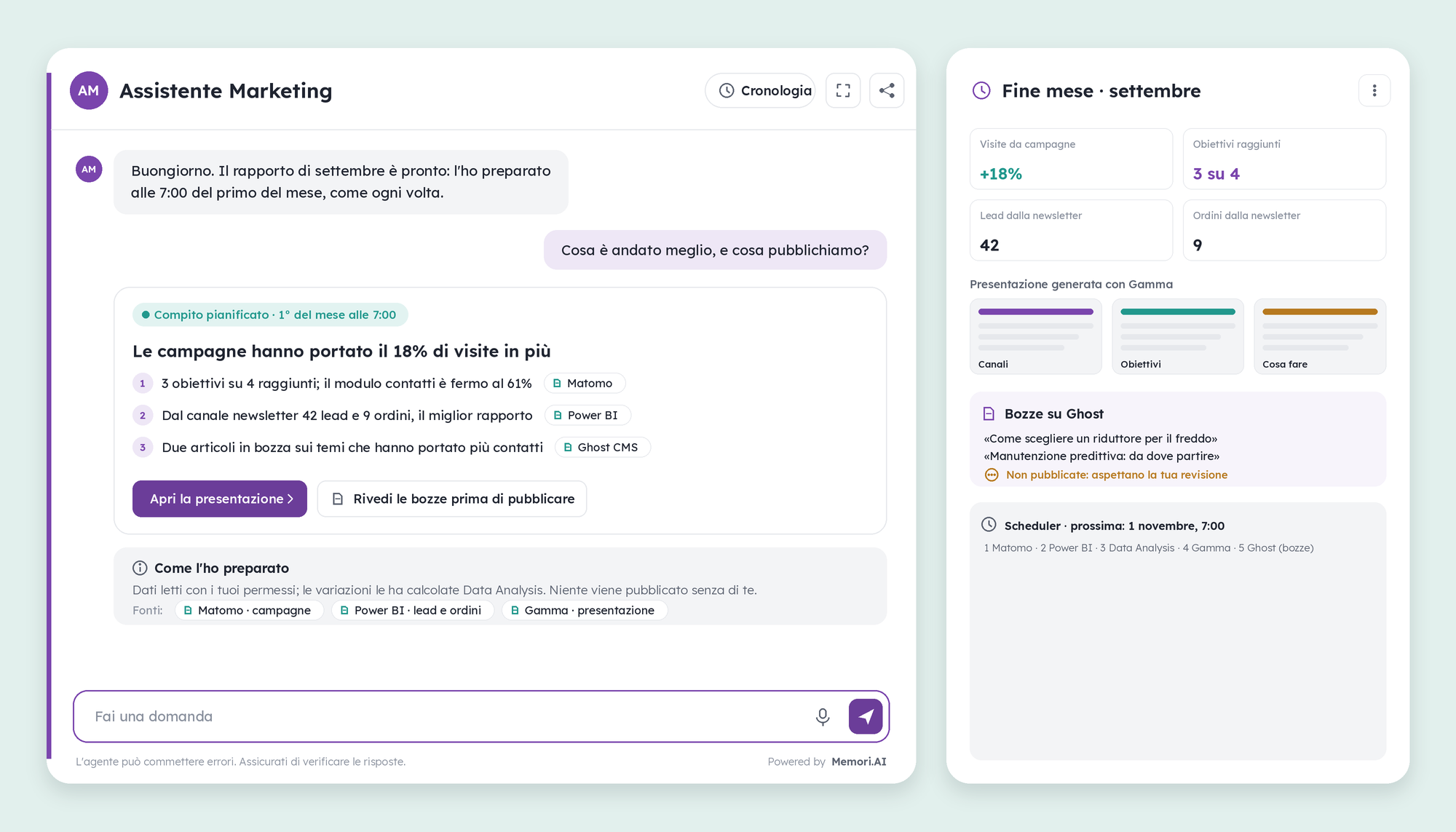
On the first of the month at 7am, an agent reads the website stats and the sales figures, works out what worked, and prepares the presentation and two draft articles. A person publishes.
Level 6 · Orchestration
What it's for
- Closing out the month without someone spending a whole morning copying numbers between three tools.
- Linking campaigns to orders, not just to visits, with the source next to every figure.
- Turning the topics that brought in leads into new content, without publishing anything on its own.
What it does
- Starts with the Scheduler, in five steps, each with only the connector it needs.
- Reads visits, campaigns and goals reached from Matomo, and leads and orders by channel from Power BI, with the permissions of whoever configured the agent.
- Has Data Analysis calculate the changes from the previous month and the ratio between leads and orders for each channel.
- Builds the presentation with Gamma and writes two draft articles on Ghost about the topics that brought in the most leads.
- Leaves everything pending and reports on it in the first conversation of the month.
Connectors: Scheduler, Matomo, Power BI, Data Analysis, Gamma, Ghost CMS.
Oversight: reads in read-only mode, writes only drafts and presentations; on Ghost nothing goes from draft to published without a person.
Case 2 - Analyst agent that answers the whys
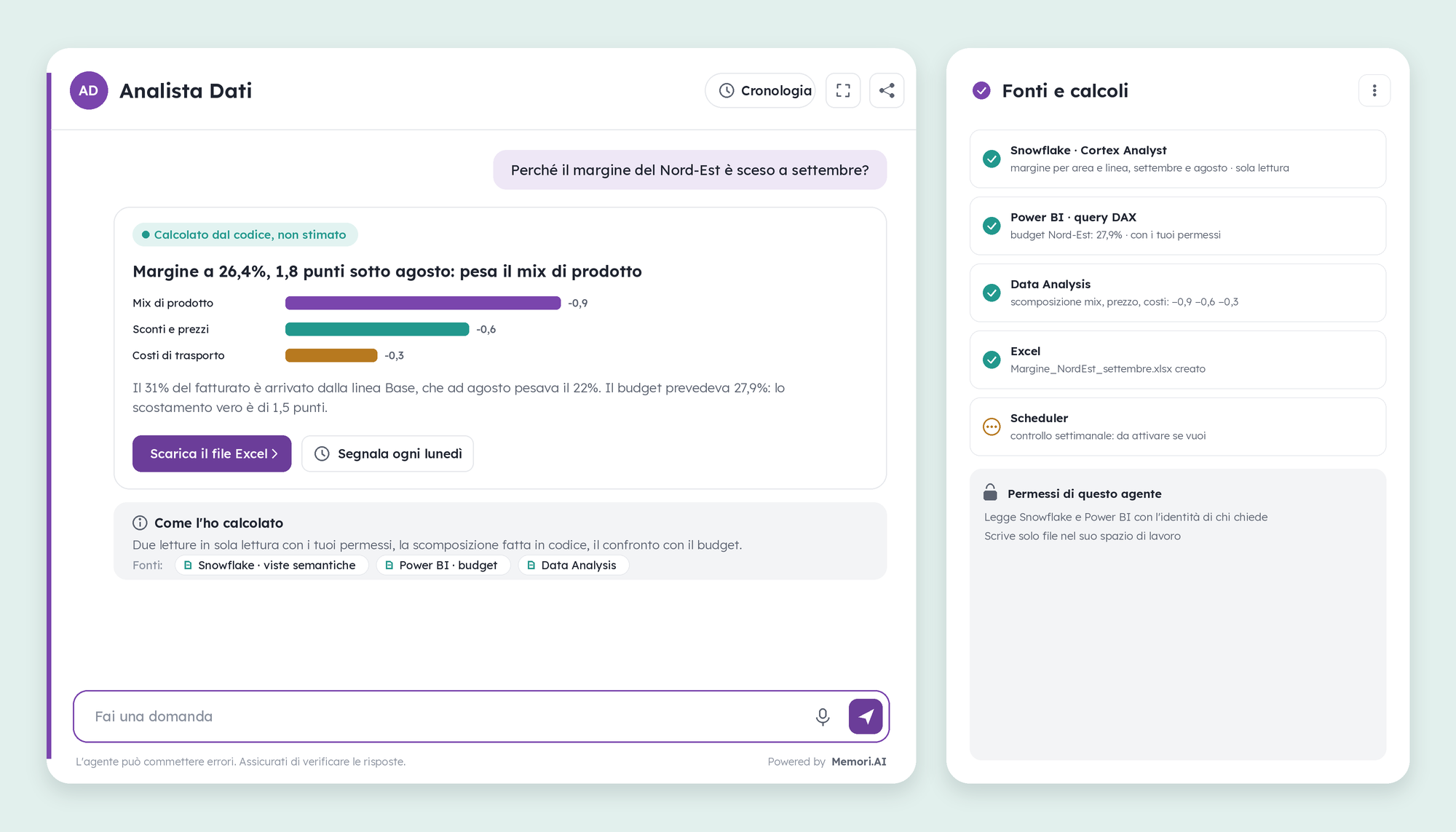
Asked “why did the margin drop,” an agent reads the data where it lives, breaks down the variance using code, and delivers a file with the calculations. It explains, it doesn't guess.
Level 2 · Data reading
What it's for
- Getting an answer to a question about the numbers in a minute, with the source behind every figure and the calculation that backs it.
- Running the same analysis every week, automatically, and being notified only when a deviation goes past a threshold.
What it does
- Queries Snowflake's semantic views with Cortex Analyst for margin by area and product line, read-only.
- Reads the area's budget from Power BI with a DAX query, using the permissions of the person asking.
- Has Data Analysis calculate the breakdown of the variance into product mix, prices and costs: the numbers come from the code, not from the model.
- Writes an Excel file with data and formulas and attaches it to the reply.
- If the person asks, the Scheduler repeats the check every Monday and flags only deviations beyond the threshold.
Connectors: Snowflake, Power BI, Data Analysis, Excel, Scheduler.
Oversight: the agent reads with the identity of whoever is asking and sees only what that person can see; it only writes files in its own workspace.
Case 3 - Agent that supports a new colleague
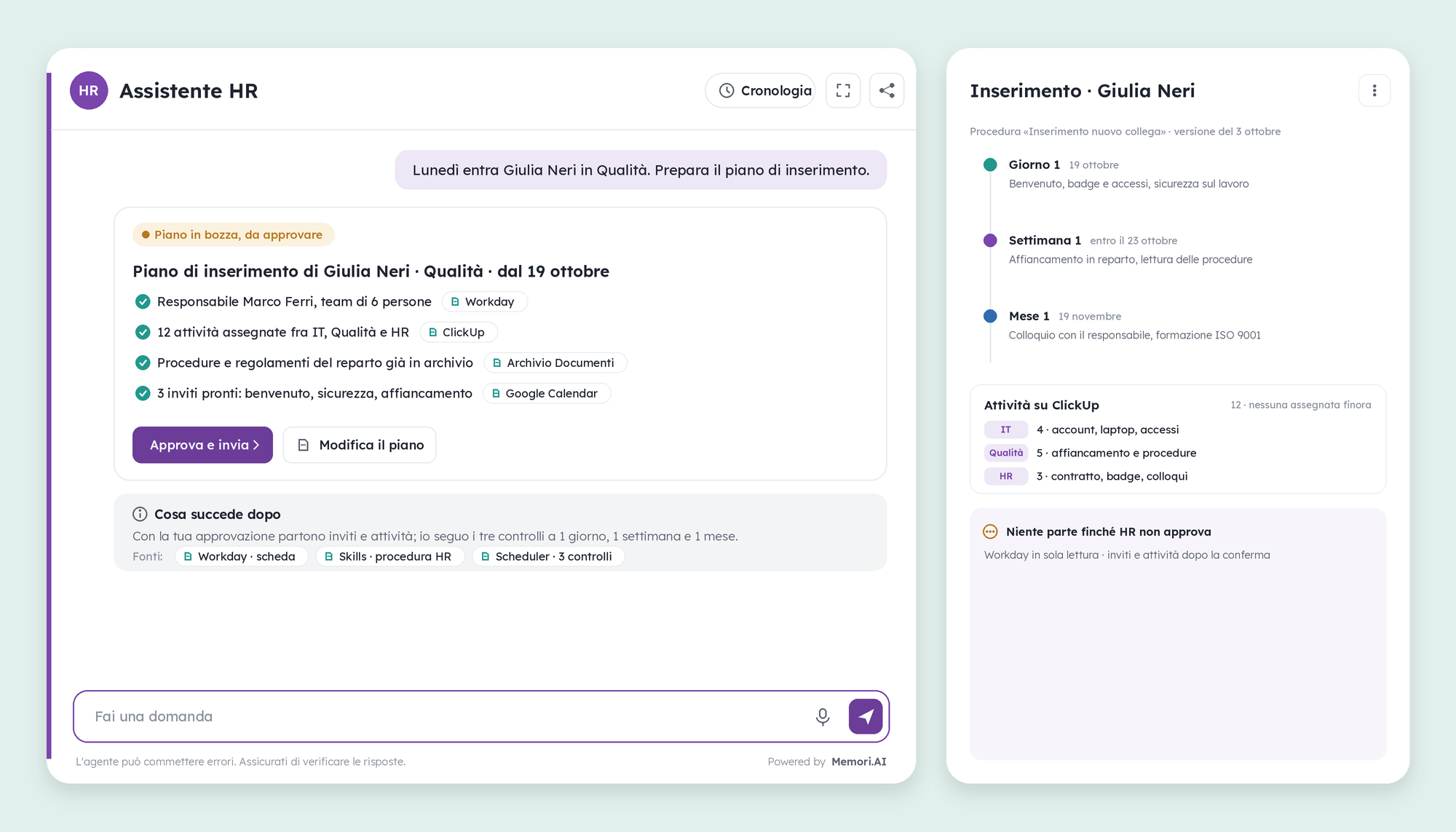
When a new person joins, the agent prepares the onboarding plan in a few seconds: who follows them, what they need to do, what to read, when to check in. HR approves, and from there the agent runs the three check-ins.
Level 4 · Actions on systems
What it's for
- Not starting from scratch with every new hire: the procedure is written once and applies to everyone the same way.
- Giving the new colleague and their manager a clear path, with tasks already assigned to the right people.
What it does
- Reads the person's record, manager and team from Workday, read-only.
- Follows the “New colleague onboarding” procedure written in Skills, and adapts it to the department.
- Searches the Document Archive for the department's procedures and regulations to hand over on the first day.
- Prepares tasks for IT, Quality and HR on ClickUp, and three invites on Google Calendar: welcome, safety, mentoring.
- With the Scheduler, schedules the three check-ins — at one day, one week and one month — and keeps the status of every onboarded person in Persistence.
Connectors: Workday, Skills, Document Archive, ClickUp, Google Workspace, Scheduler, Persistence.
Oversight: nothing starts until HR approves the plan; invites and tasks are created only after confirmation, and the manager receives the plan before the new colleague does.
Case 4 - Agent that sells itself, within the rules
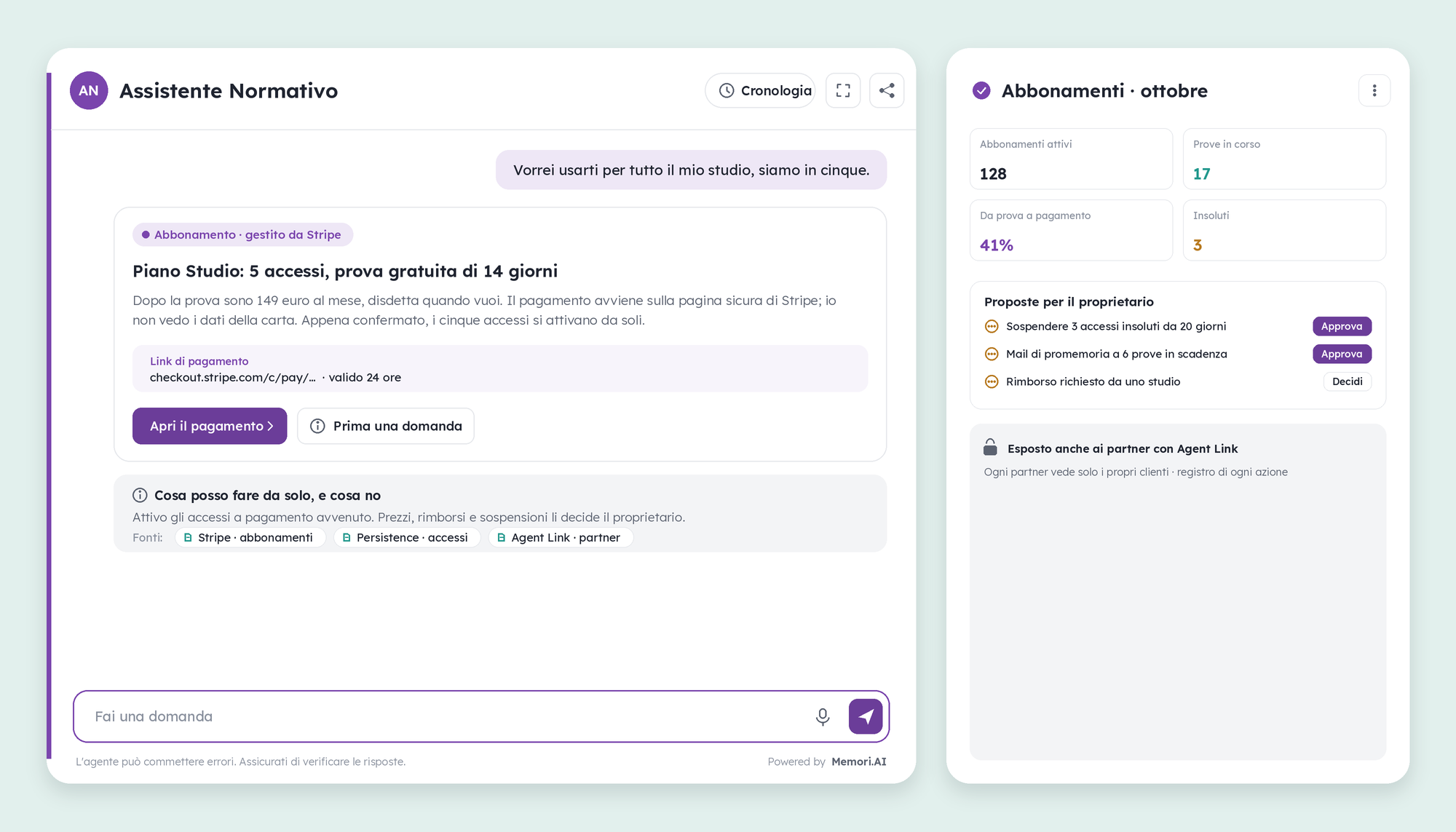
A specialized agent can offer a subscription to whoever uses it, collect payment via Stripe, and activate access on its own. Prices, refunds and suspensions stay with the owner.
Level 6 · Orchestration
What it's for
- Turning an agent that's good at one thing (for example, answering questions on a regulation) into a subscription service, without building a website and a shopping cart.
- Letting users try, pay and get started within a single conversation, with card details staying with Stripe.
What it does
- With the Stripe connector, offers the plan, the free trial and the payment link, and reads payments, renewals and unpaid invoices.
- Once payment is complete, activates access and records it in Persistence, which keeps track of who's entitled to what, and until when.
- With the Scheduler, checks expiring trials and unpaid invoices every day, and prepares proposals for the owner: reminders, suspensions, refunds to decide on.
- With Agent Link, it's also available to partners who resell it, each with their own customers.
Connectors: Stripe, Persistence, Scheduler, Agent Link.
Oversight: the agent activates access only once payment is complete and never sees payment data; every price change, refund or suspension goes through the owner, and every action stays in the log.
How to get started
You start from a process, not from a connector. Pick something that someone does by hand every week today, look at which systems it touches, and activate only those connectors, read-only. Once the agent has proven it reads well, give it permission to write, one tool at a time.
If a system isn't among the fifty, it can still be connected: by pointing to its MCP server address, or by describing its APIs to the OAuth / API Connector. And if the connector needs to apply to the whole company, the administrator sets it up once with the credentials inside and decides who can see it.
To see these cases applied to your own processes: demo@memori.ai, subject DEMO SUITE.
To learn more
- AIsuru connector catalog, 50 connectors, updated as of October 16, 2026
- Power BI's info page and Matomo's info page
- Agents that work, improve and answer to someone, the previous article
- Memori Trust Center