What's new in AIsuru | v9.10.0
Welcome back to the AIsuru release notes v9.10.0 ! Here you'll find new features, improvements, and bug fixes to make your AI Agents more powerful and secure 🚀
NEW FEATURES AND IMPROVEMENTS!
Agent Creation
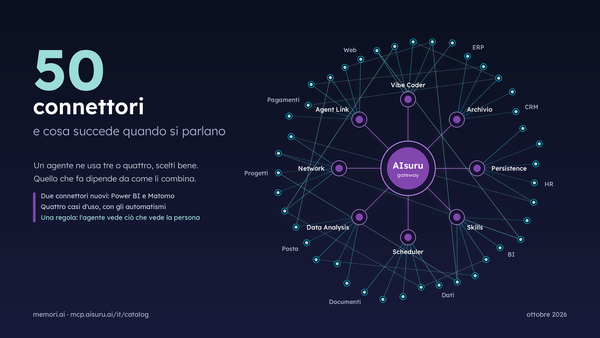
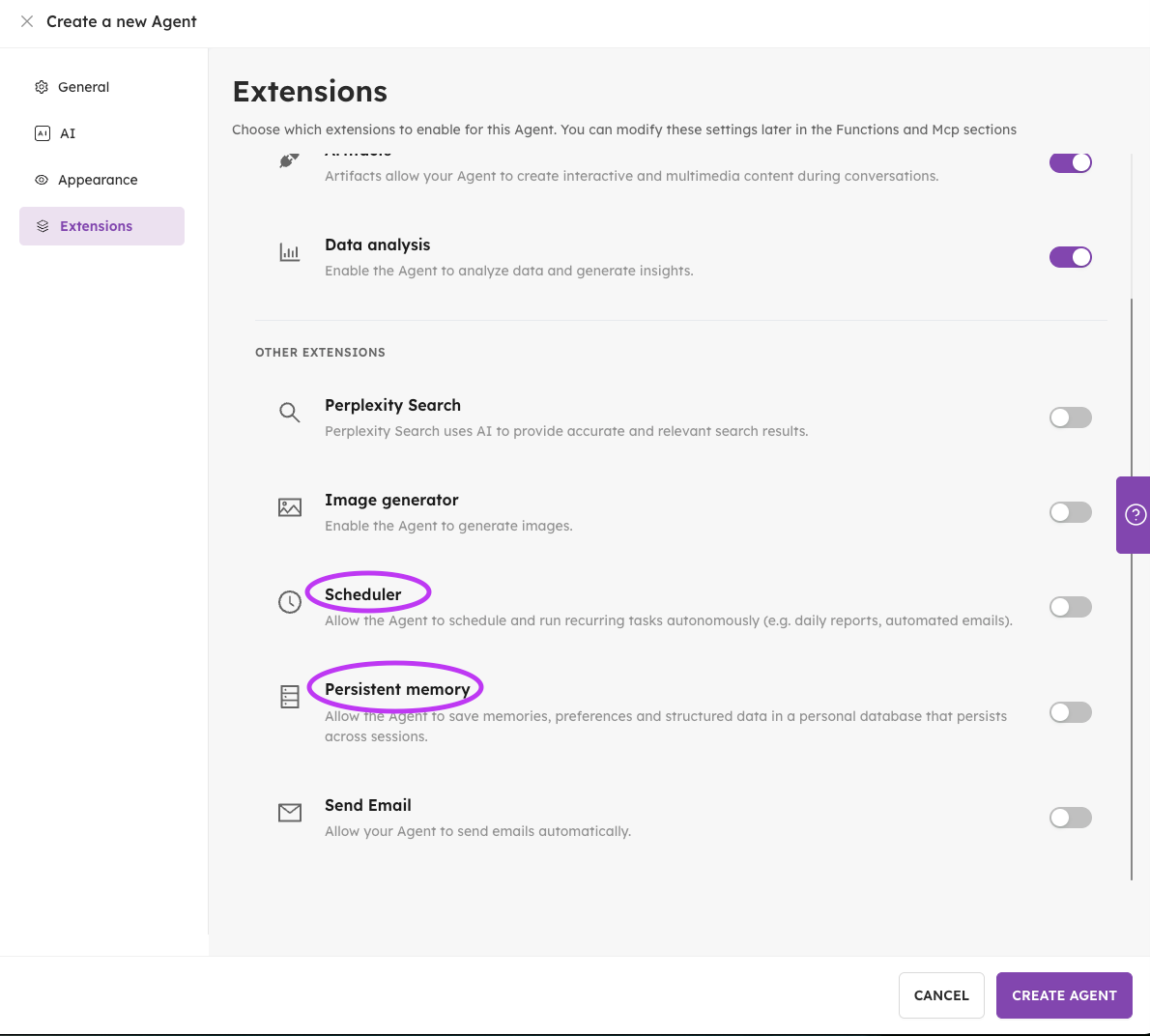
From now, the Data Analysis MCP will be enabled by default while creating a new agent. This particular MCP allows the agents to process data and generate insights. The users will have feedback and they can opt-out in the Extensions tab of the agent creation UI.
In the same Extensions tab, users can also find two new MCP options for a fast and convenient activation:
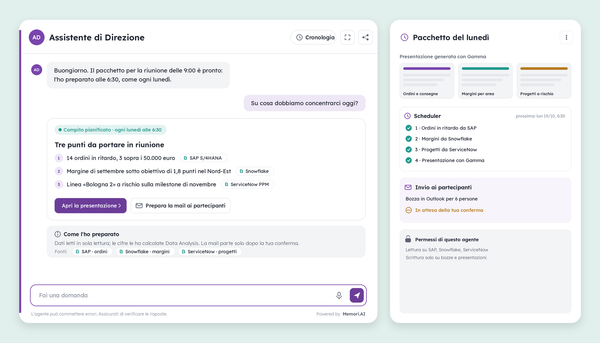
- Scheduler: allows the Agent to schedule and run recurring tasks autonomously (e.g. daily reports, automated emails).
- Persistent memory: allows the Agent to save memories, preferences and structured data in a personal database that persists across sessions
Support for Word, PowerPoint and Excel files
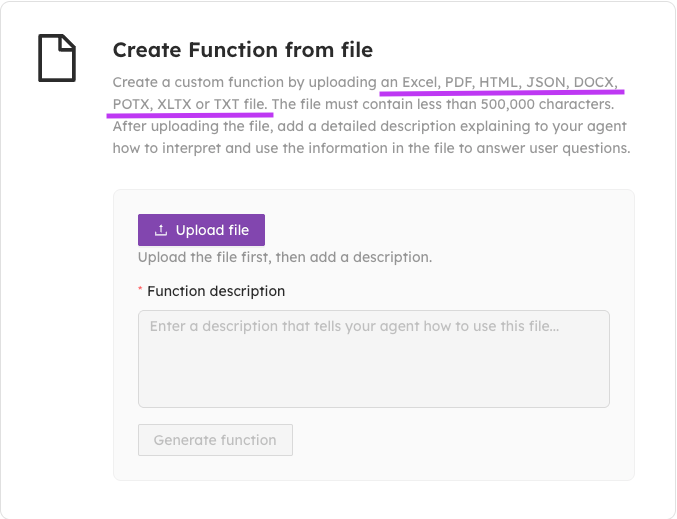
In our “Create function from file” section under the “tools” area the user can now find new file upload options such as:
- DOTX (Microsoft Word text document),
- POTX (PowerPoint Open XML Template) and
- XLTX (Excel Open XML Spreadsheet Template)
It is also now possible to upload these new media types directly in a chat: either through the upload button option, or simply by the “drag and drop” option!
Get to Know Your MCPs
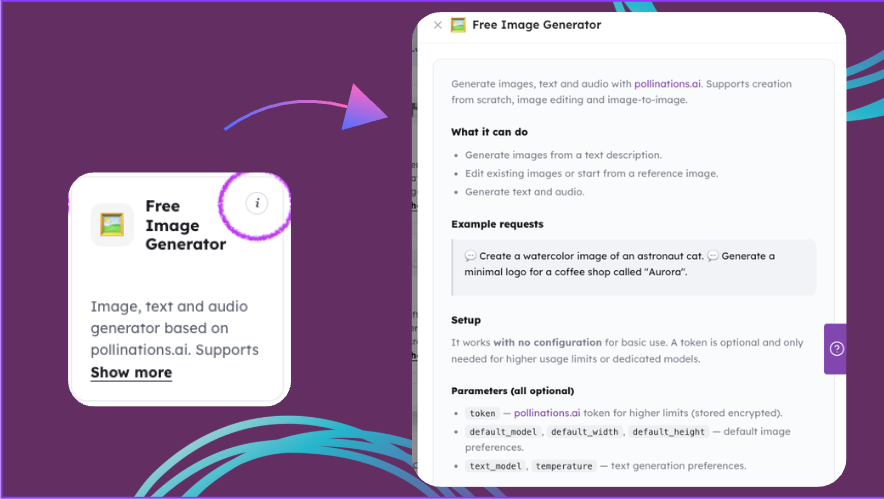
We worked to make the MCP page more detailed and easy to use. Each MCP will now show additional information so users can learn more about them. Simply click on the information icon “i” and a pop up window with open up with examples and use cases on the selected MCP.
New LLM models!
We have added support for the latest models of:
- Anthropic: Claude Opus 4.8;
- OpenAI: gpt-5-chat-latest, gpt-5.1-chat-latest, gpt-5.2-chat-latest, gpt-5.3-chat-latest, chat-latest, gpt-5.5;
- Mistral: mistral-medium-2505, mistral-medium-2508, mistral-medium-latest, ministral-3b-2512, ministral-3b-latest, open-mistral-nemo-2407, open-mistral-nemo, magistral-small-2509, magistral-small-latest, magistral-medium-2509, magistral-medium-latest, mistral-small-2603, mistral-large-2512, ministral-8b-2512, ministral-8b-latest, ministral-14b-2512, ministral-14b-latest.
Identity Strict
When enabled, the MCP now verifies before every action that the person in the chat is a genuinely authenticated, identifiable user.
We managed to block requests coming from anonymous sessions, or where the user’s identity cannot be trusted.
This prevents anyone from acting “on someone else’s behalf” or reaching data that isn’t theirs.
We recommend turning it on for any MCP that reads or writes personal or confidential data (mailboxes, calendars, private files, databases with sensitive information).
For MCPs that only deal with public or non-personal data it can stay off, keeping the experience frictionless for anonymous users too.
Flexible voice settings reset
Admins can now quickly reset everything back to the original default settings with ease, if something goes wrong with the voice settings
🐞WHAT WE FIXED!
- Fixed a bug that was causing the microphone to overlap with the tooltip in the chat area
- Fixed Model ID parsing in the model definition for the Amazon Bedrock LLM provider.
- Clicking a file uploaded using the "Create Function from File" function could result in an error. You can now download files without problems.
- We managed to resolve an issue where certain phrases were ending the user’s sessions, this way we are ensuring smoother conversations.
- Webhook notifications now correctly handle special characters (such as é, ü, ñ, emoji), preventing unexpected errors
🛠️ As always, we've addressed various minor bugs and implemented performance improvements across the platform to ensure a smoother, faster experience.
💡 Need help with AIsuru? Want to explore the AIsuru AI Academy? Contact us at demo@memori.ai