Enterprise MCPs: can give the whole organization the same AI superpowers, without distributing a single key
An AI agent is only as good as the systems it can access. An assistant that "knows everything" in the abstract is of little use, an assistant that can read policies on SharePoint, open a ticket in Dynamics 365, query the ERP, or check courses on the LMS suddenly becomes useful. In a company, the bottleneck is almost never the model: it's the secure connection to real data and real systems.
And this is where a problem arises that blocks large scale adoption. To connect those systems, someone has to enter credentials: client secrets, certificates, connection strings, tokens. If this burden falls on the end user i.e the person in marketing, HR, or customer care who wants to build themselves an agent two things can happen. First, it doesn't scale: no one is going to ask hundreds of colleagues to correctly manage technical secrets. Second, it's a security risk: credentials start circulating in chats, shared documents, and notes. This is the root of so called "shadow AI", where corporate secrets scatter beyond IT's control.
With the new Enterprise MCPs on AIsuru we tackled the problem at its root, separating two roles that should never overlap: whoever keeps the secrets and whoever builds the agents.
The principle: capability without credentials
The idea is simple to state and has profound consequences for security:
The administrator configures a connector once, using the organization's credentials. All users can then enable it on their own agents with a single click, without ever seeing or handling the secrets.
The agent gets the ability to act on a system, not the secret to do so. It's the same philosophy behind our MCP Gateway ,giving agents power without giving the LLM the keys, and it being extended from the single agent to the whole company.
How it works
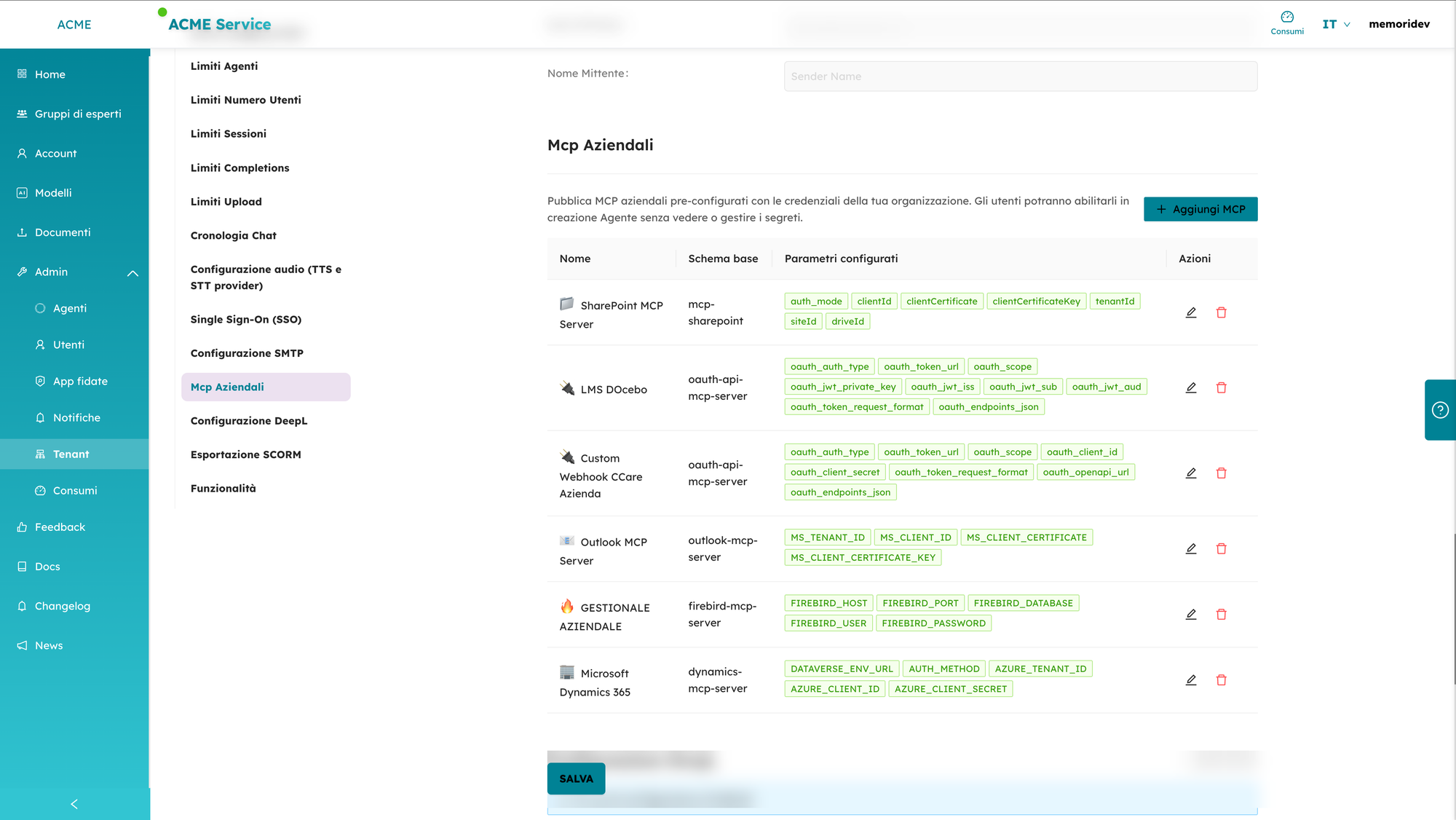
1. The administrator publishes the connector (once).
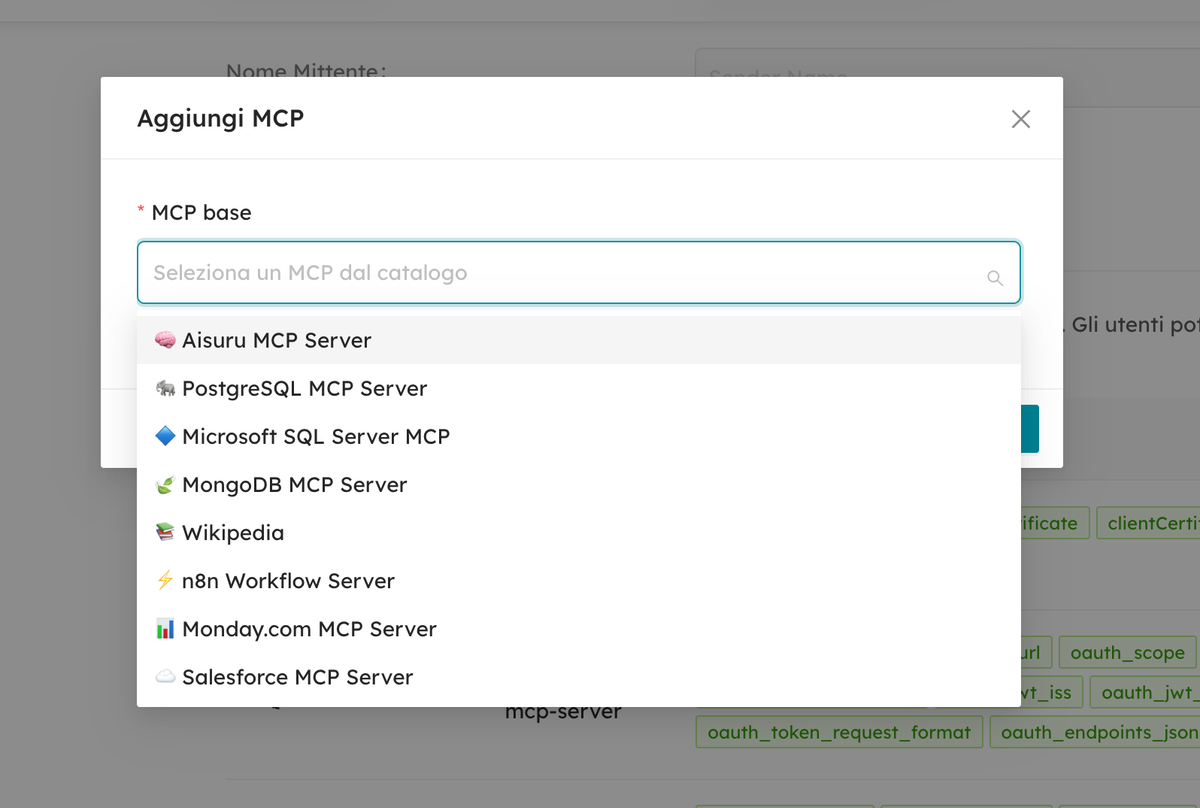
In the Tenant → Enterprise MCPs panel, IT picks a connector from the catalog (SharePoint, Microsoft Dynamics 365, Outlook, an LMS like Docebo, an ERP on a Firebird database, a custom webhook to their own API…) and enters the company credentials. From that moment on, the connector appears as "Enterprise", already configured and ready.
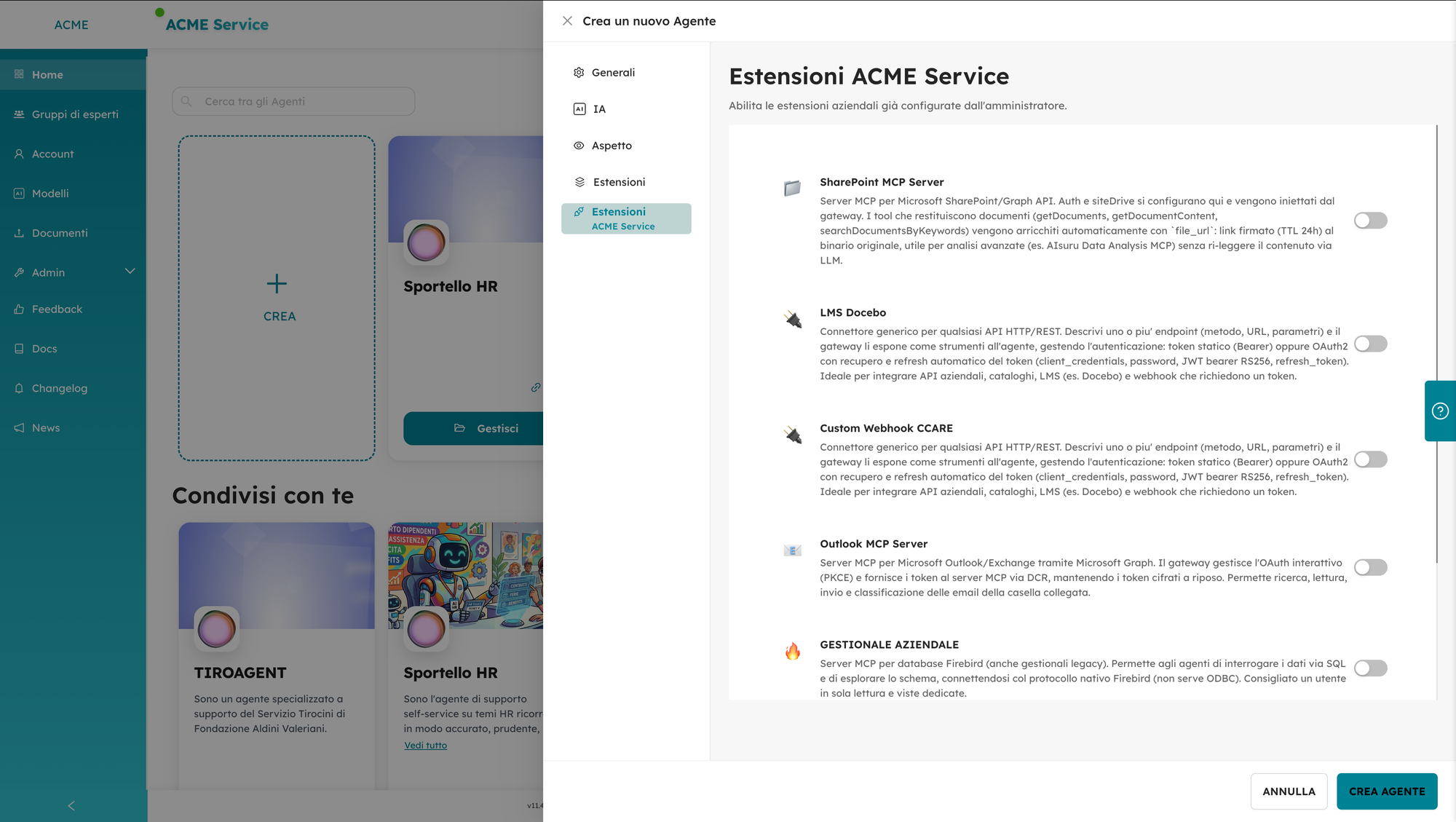
2. The user enables it (with a click).
When someone creates or manages an agent, in the Extensions / MCP section they find the connectors marked as "Enterprise" and turn them on with a switch. There's no credentials field to fill in: secrets are never shown. The user chooses what the agent can do; they never handle how it accesses it.
3. The gateway executes (securely, at runtime).
When the agent uses the tool, it's the gateway that retrieves the encrypted credential, composes the authenticated call to the external system, and executes it. The secret stays server side for the entire duration of the operation.
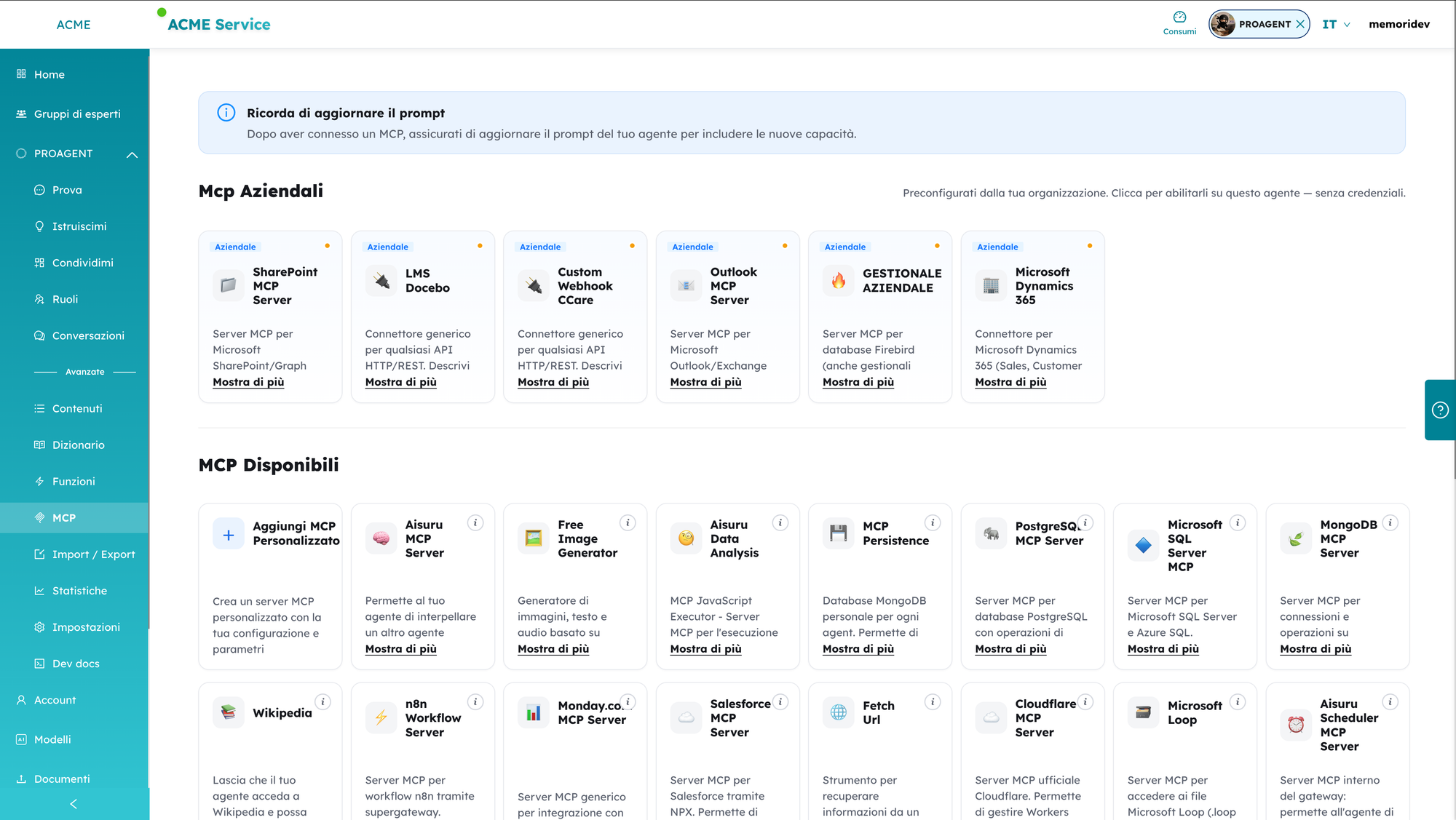
One practical but important detail: after enabling a connector, it's worth updating the agent's prompt to state the new capability (i.e you can search HR documents on SharePoint, or open tickets in the CRM). The connector provides the tool, the prompt teaches the agent when to use it.
What happens under the hood (and why it's secure)
Self service convenience should never come at the expense of security. On the contrary, this model is more secure than one where every user manages their own credentials. Here's why.
The keys stay with the company.
Credentials are encrypted at rest and injected by the gateway only at runtime. They never pass through the user and never pass through the model: the LLM receives the result of an action, never the key to perform it. Even if a prompt were manipulated, there's no secret to exfiltrate from the conversation context.
Each connector uses the right authentication, managed centrally.
There's no single "password for everything": every type of system has its own mechanism, handled by the gateway.
- SharePoint / Microsoft Graph: application authentication with a certificate; tools that return documents are enriched with a time-signed
file_url(a link to the original binary with limited validity, useful for example for advanced analysis without re-reading the entire content via the LLM). - Outlook / Exchange via Microsoft Graph: interactive OAuth with PKCE; tokens are provided to the MCP server via dynamic registration and kept encrypted at rest.
- Custom webhooks and APIs / LMS: static (Bearer) token or OAuth2 with automatic token retrieval and refresh (client credentials, password, JWT bearer RS256, refresh token). This is the generic connector, ideal for integrating an ERP exposed via API, a catalog, or an LMS like Docebo.
- ERP on Firebird: connection via the native protocol (no ODBC), designed to query data via SQL and explore the schema; a read-only user with dedicated views is recommended, so the agent can consult but never alter the data.
- Dynamics 365 / Dataverse: authentication via Azure (tenant, client, secret) against the Dataverse environment.
Revocation is real and immediate.
Everything is configured in one place. If you change a key, rotate a certificate, or close off access, the change takes effect everywhere instantly, across every agent using that connector. You don't have to chase down ten scattered configurations made by ten different people: this is exactly what makes security manageable over time.
The attack surface shrinks.
No credentials copied into chats, prompts, or shared documents. The secret exists in one place only, encrypted, under IT's control.
Everything stays governed and traceable.
Access follows company policies, operations go through the gateway and can be logged for audit, and connector capabilities update automatically as we improve their implementation, with no one needing to reconfigure anything.
Three concrete examples
1. Self-service HR help desk
HR wants an agent that answers employees' questions on vacation, leave, internal policies, and training, without becoming yet another bottleneck.
IT publishes two enterprise connectors: SharePoint (where the regulations and HR documents live) and the Docebo LMS (where the courses live). The HR manager, who doesn't know what a client secret is and shouldn't have to, creates the "HR Helpdesk" agent, enables the two connectors with a click, and writes the instructions.
An employee asks: "How many days of paid leave do I get for a move, and is there a safety course I still need to complete?" The agent searches for the answer in the real regulations on SharePoint and checks course status on Docebo. The answer is grounded in real company documents, not made up and at no point did the SharePoint or LMS credentials ever leave IT.
2. Customer care connected to the CRM
The support team wants an agent that helps operators find the status of a case and open a report.
The administrator publishes the Dynamics 365 connector and a custom webhook to the internal ticketing system (authenticated via OAuth2, with automatic token refresh handled by the gateway). The operator asks the agent for a customer's history; the agent reads from Dataverse and, if needed, opens a ticket via the webhook. Operators use the tool; the CRM and ticketing endpoint secrets remain centralized. The day the company rotates the Azure client secret, it updates it in one place and every agent keeps working.
3. Giving a voice to the legacy management system
Many SMEs have a legacy ERP on a Firebird database, rich in data but hard to query. With the ENTERPRISE ERP connector, IT publishes it by configuring a read-only user on dedicated views.
A sales manager asks in natural language: "Show me the top ten customers by revenue for last quarter and which ones have pending orders." The agent translates the question into a SQL query on the allowed views and returns real data. No manual export, no write access, no database credentials in the user's hands.
A piece within a bigger picture
Enterprise MCPs are not an isolated feature: they are the governance layer built on top of two pillars we've developed over time.
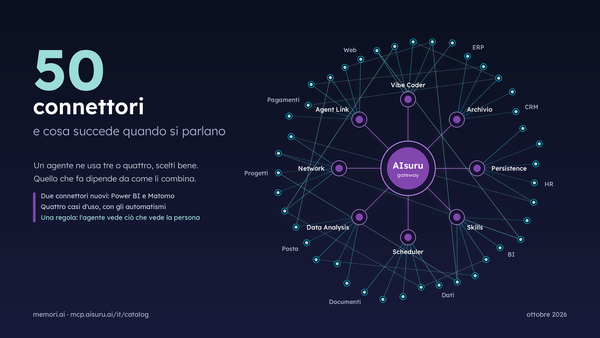
The first is the universal connector: by pasting the OpenAPI spec of any API the gateway exposes it as a tool to the agent, handling authentication. This means the library of enterprise connectors isn't limited to a predefined list: it also includes your systems.
The second is the ecosystem of MCPs already available from agent memory, to a scheduler for autonomous tasks, to data analysis, all the way to databases (PostgreSQL, SQL Server, MongoDB) and platforms (Salesforce, Monday, n8n) that an organization can combine. Enterprise MCPs add to all of this the dimension that businesses were missing: distributing capability without distributing secrets.
This is the point where security and productivity stop being in conflict. IT keeps control of the secrets, enforces policies, and can revoke access instantly, the business builds useful agents on its own, self-service. The two roles, usually in tension over AI, here work together without ever exchanging a single password.
In summary
- A connector is configured once, by the administrator, using the organization's credentials.
- Users enable it on their own agents with a click, without ever seeing the secrets.
- Credentials are encrypted at rest and injected by the gateway at runtime: never to the user, never to the model.
- Every system uses the correct authentication (certificates, PKCE, OAuth2 with refresh, JWT RS256), managed centrally.
- Revocation is immediate and global, the attack surface shrinks, everything stays governed and traceable.
Enterprise MCPs are available now on AIsuru. If you run IT for your organization, this is the fastest way to bring agentic AI from pilot projects to everyday use across the whole company, without giving up control.